Celebrating the launch of BarikLabs.com — enjoy 20% OFF! Use code HELLO-BARIK Celebrating the launch of BarikLabs.com — enjoy 20% OFF! Use code HELLO-BARIK Celebrating the launch of BarikLabs.com — enjoy 20% OFF! Use code HELLO-BARIK
6281358833040
support@bariklabs.com
Contact Us
Cart Downloads

How to update extension

How to update extension

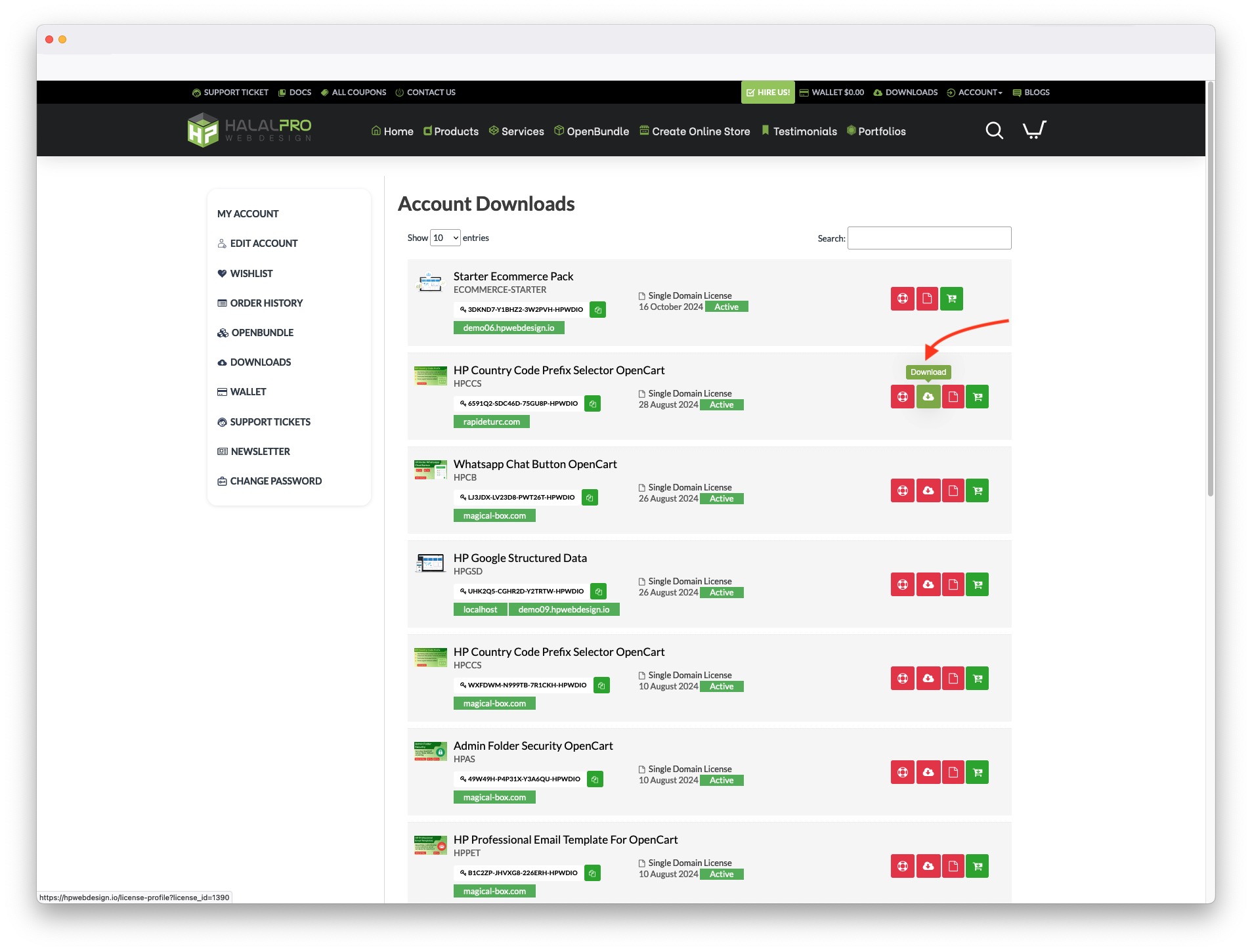
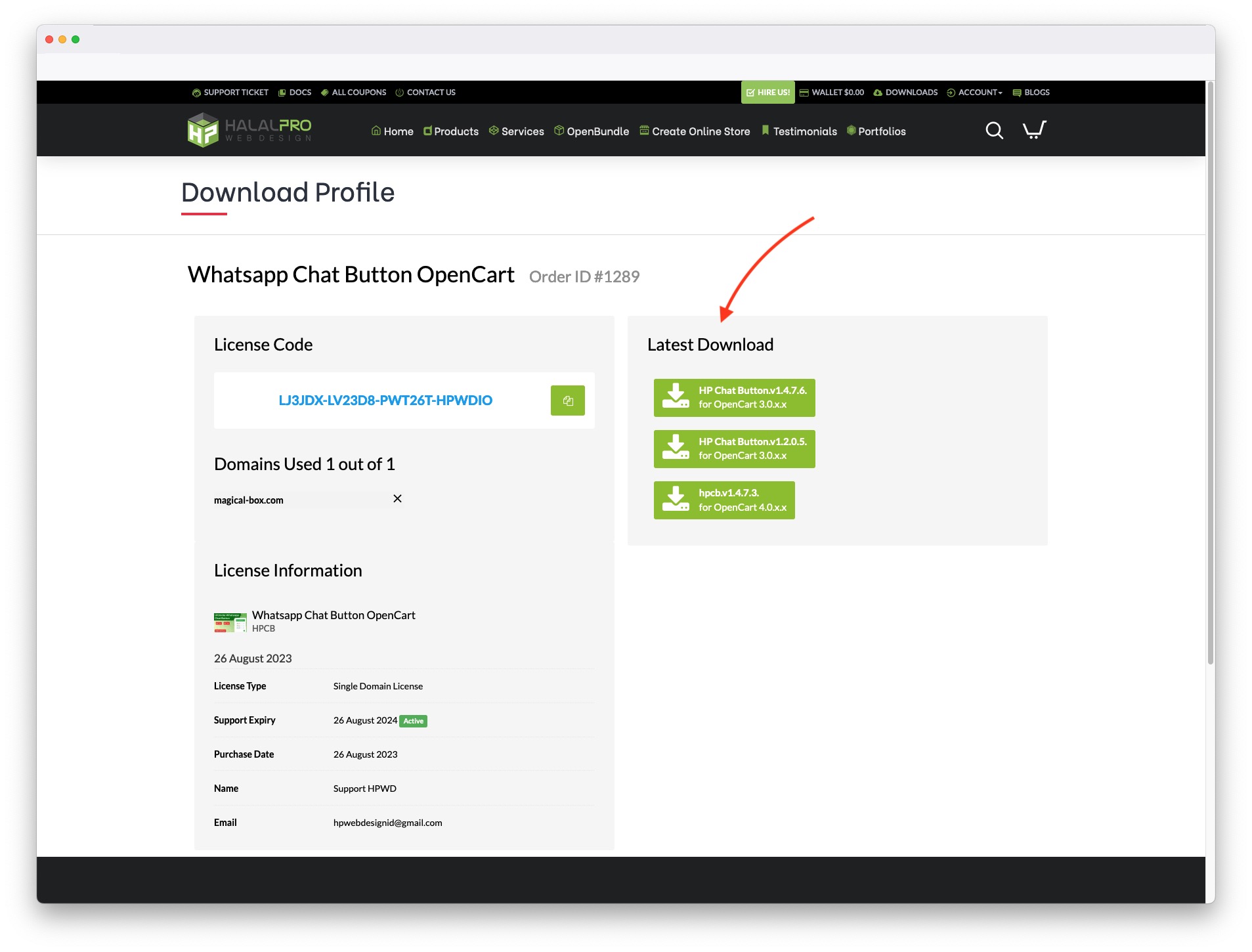
  1. Download extension latest version
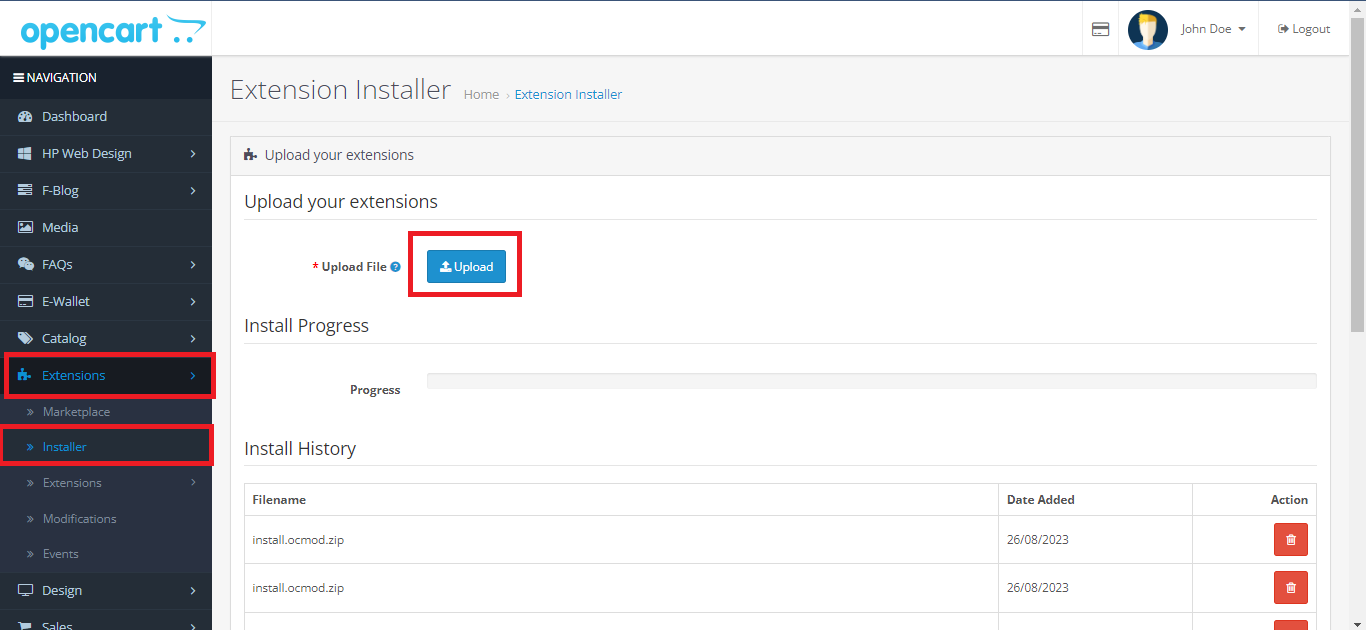
  2. Extract and upload ...ocmod.zip file on extension install page
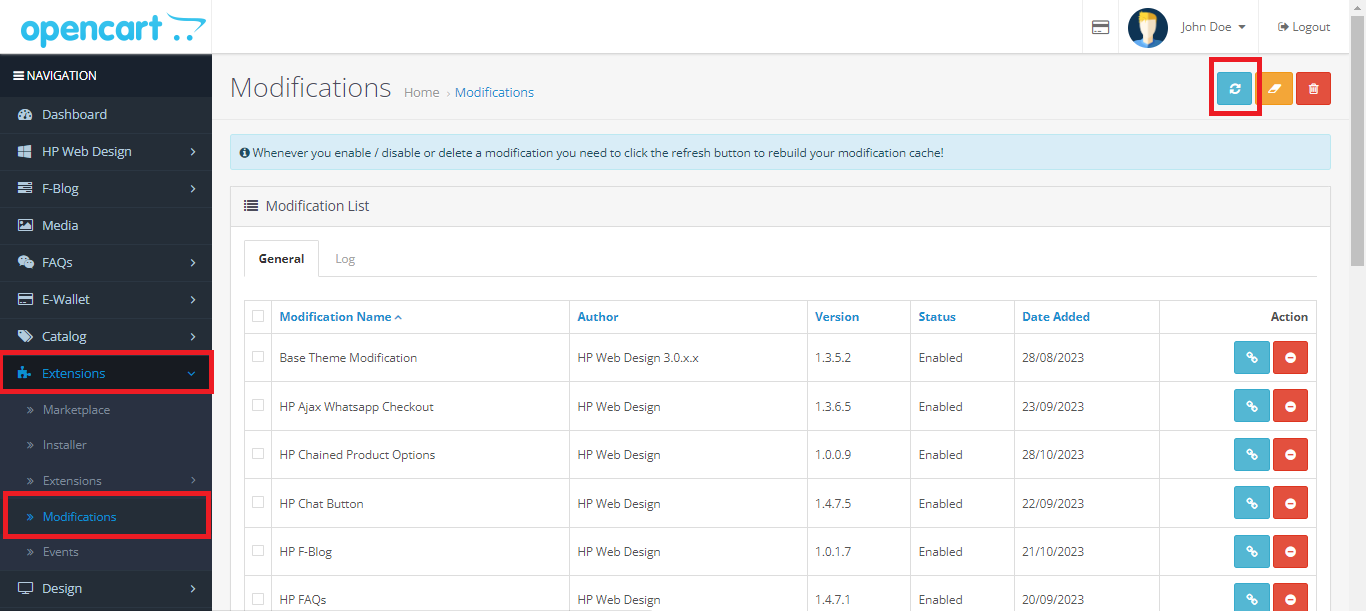
  3. Refresh Modification on Extension > Modification
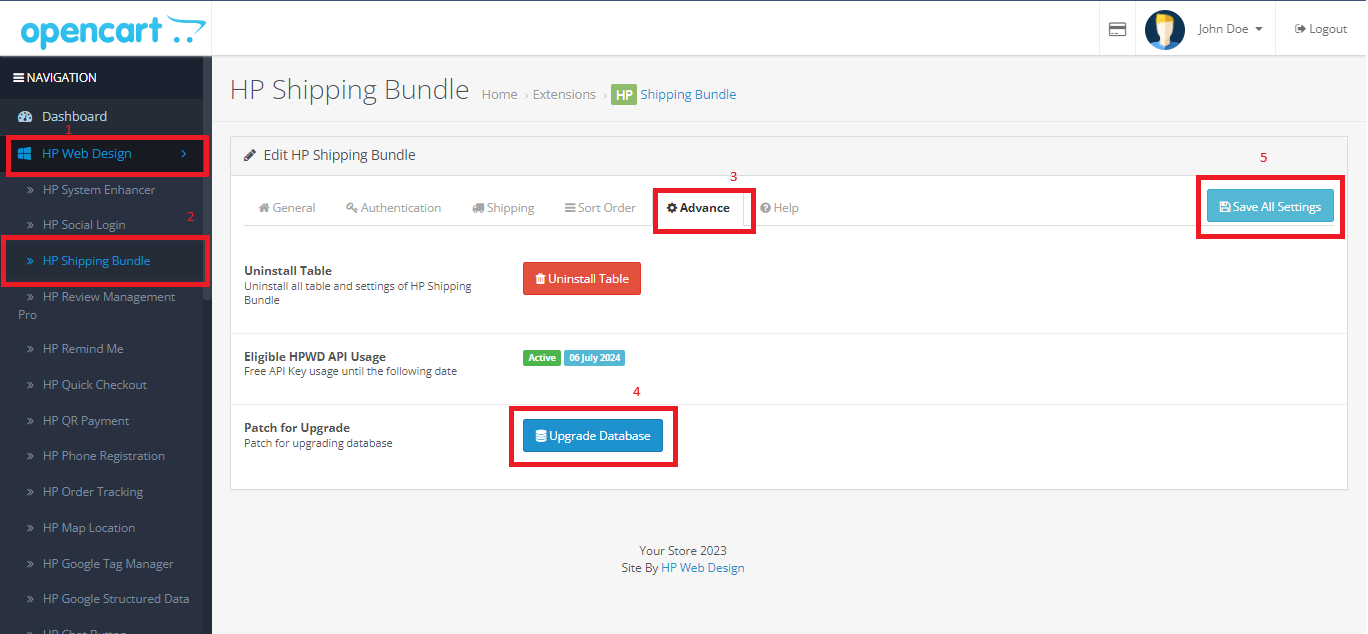
  4. (If any Upgrade Database button on setting page) Goto page setting extension, click "Advance" tab and click Upgrade Database button
 

Was this article helpful?
Yes No
0 out of 0 found this helpful