
Bariklabs File Media Manager OpenCart
- $30.00
$20.00
Are you frustrated with OpenCart’s limited and outdated file manager?
Having trouble uploading multiple images, finding your last-used folder, or managing your store’s media efficiently?
✅ Advanced File Manager for OpenCart : a hassle free file management and give you full control over your files and media.
Bariklabs Media Manager for OpenCart - Manage All Files and Media on your Store
-
This extension helps you manage all files and media in your OpenCart store.
It provides a dedicated interface to manage, upload, download, view, delete, and organize any media stored in your system. -
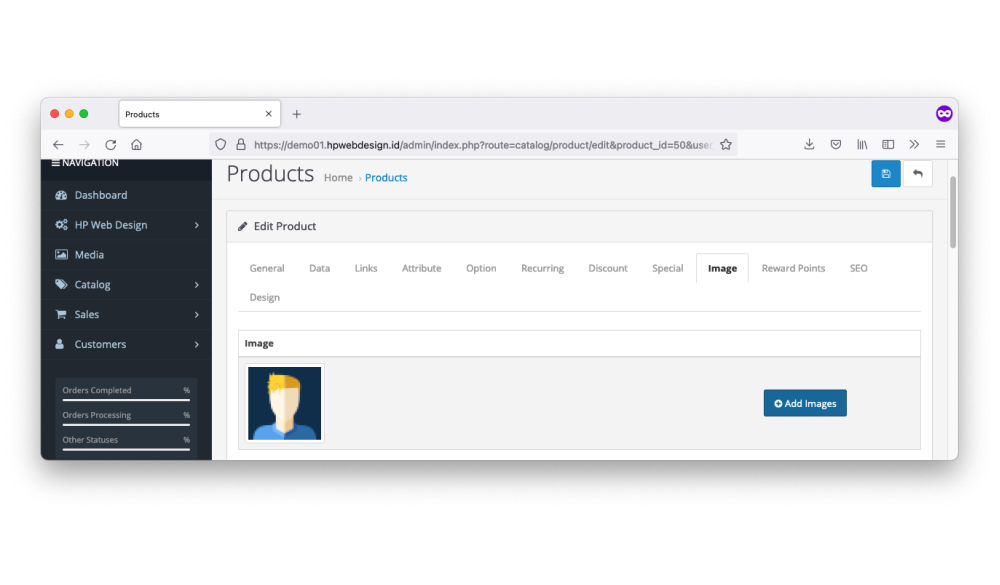
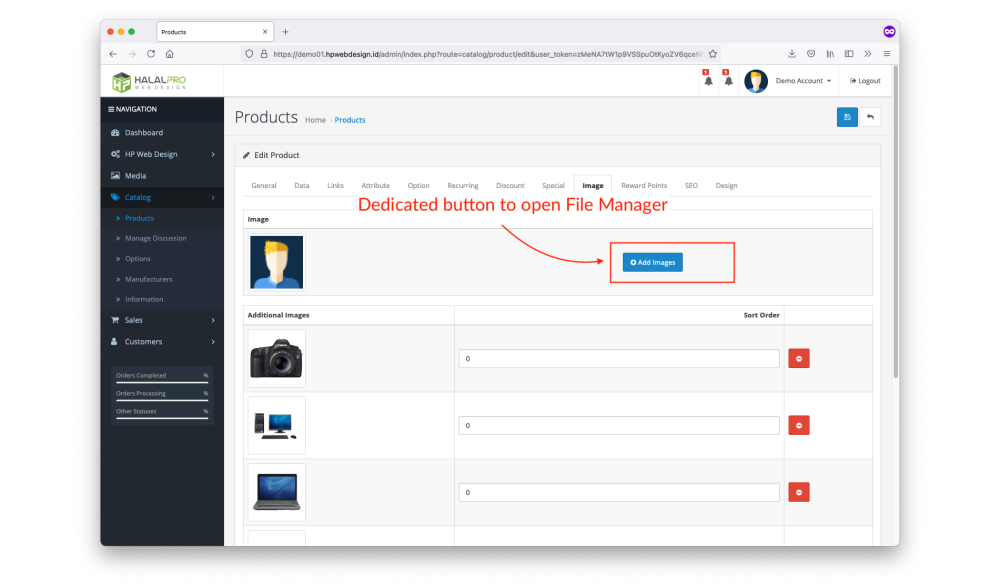
It also includes several essential features for adding product images, such as:
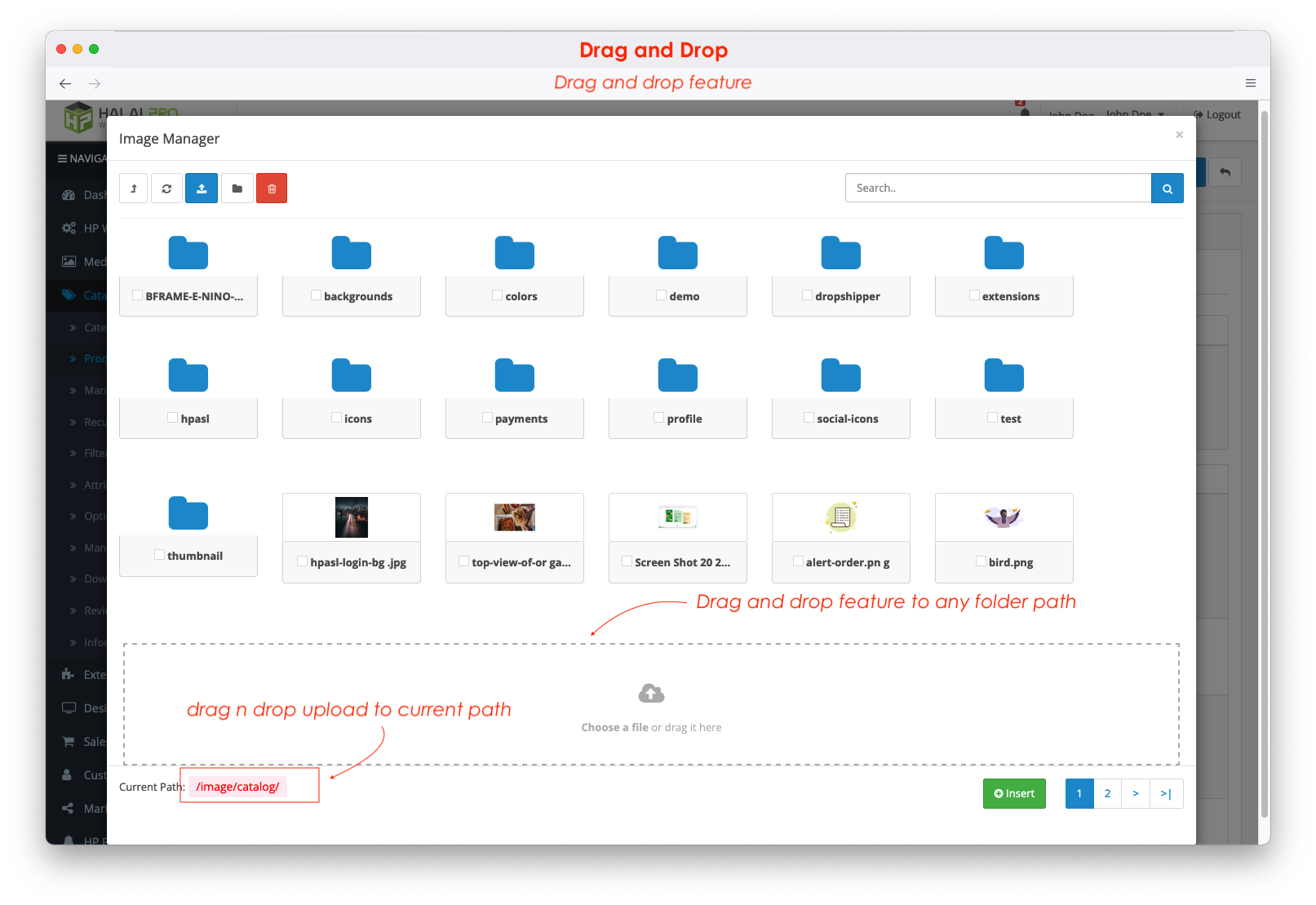
• Drag-and-drop support
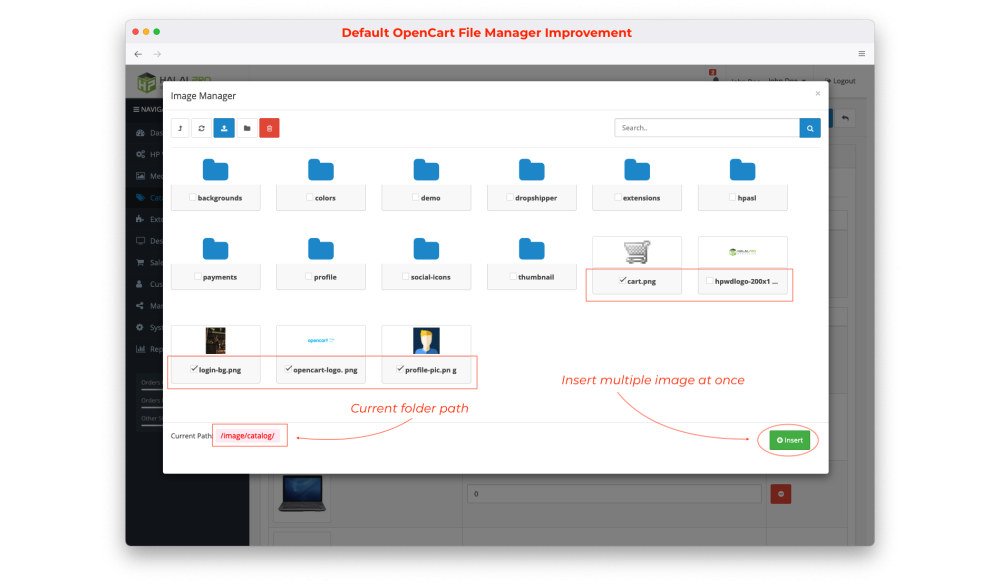
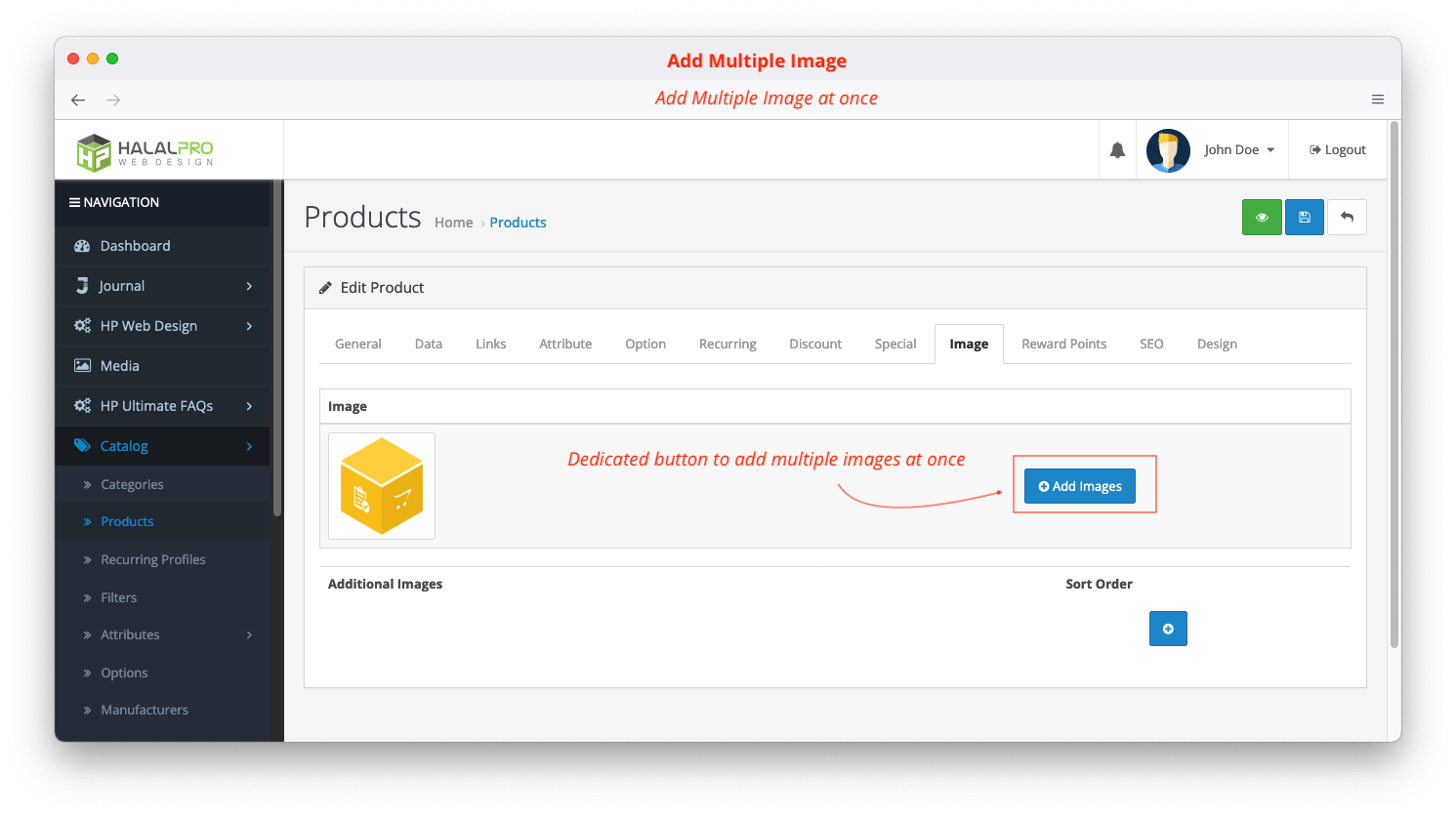
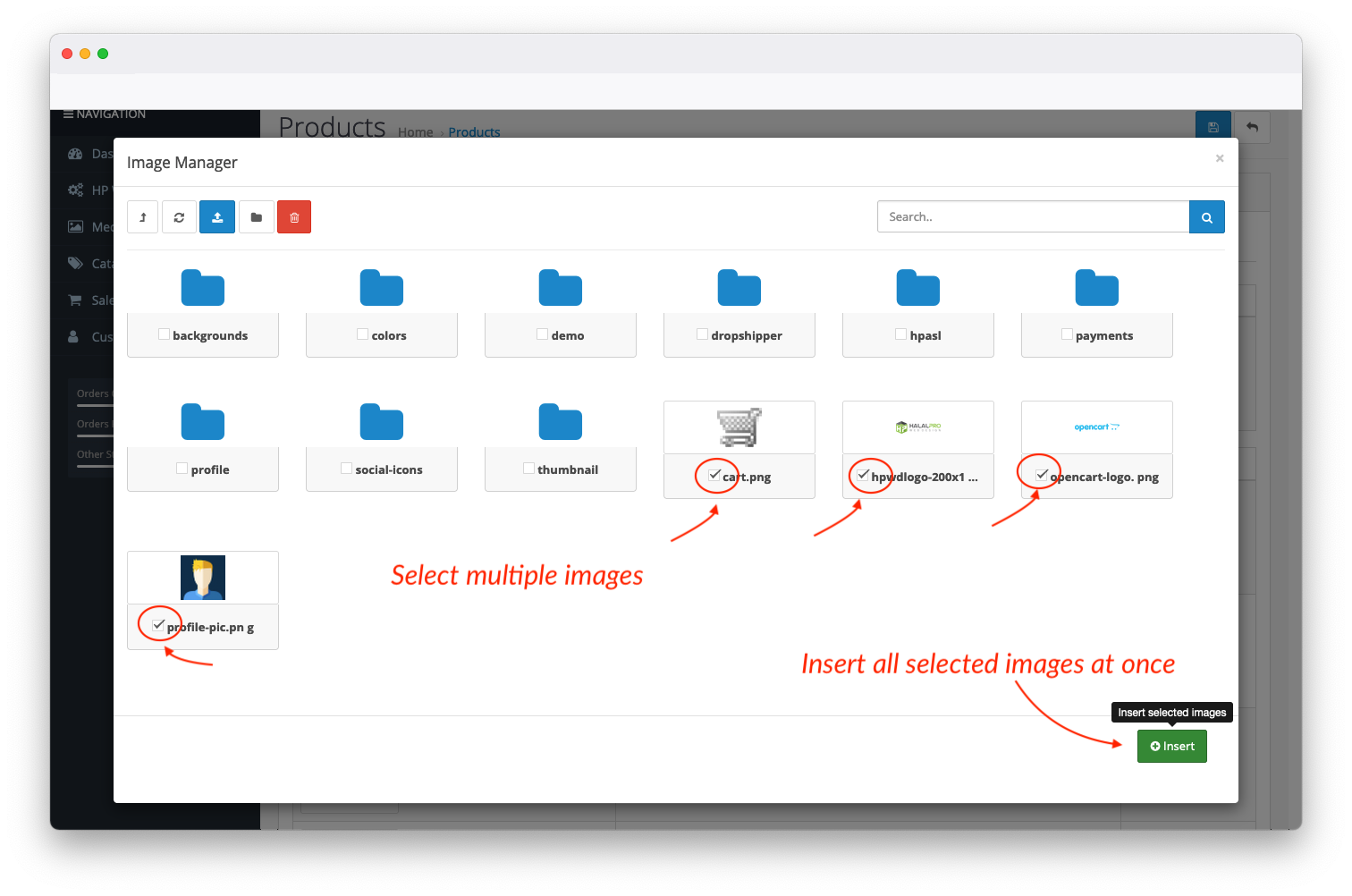
• Insert multiple images at once
• Automatically remember the last visited folder -
Additional image processing features include:
• File extension conversion
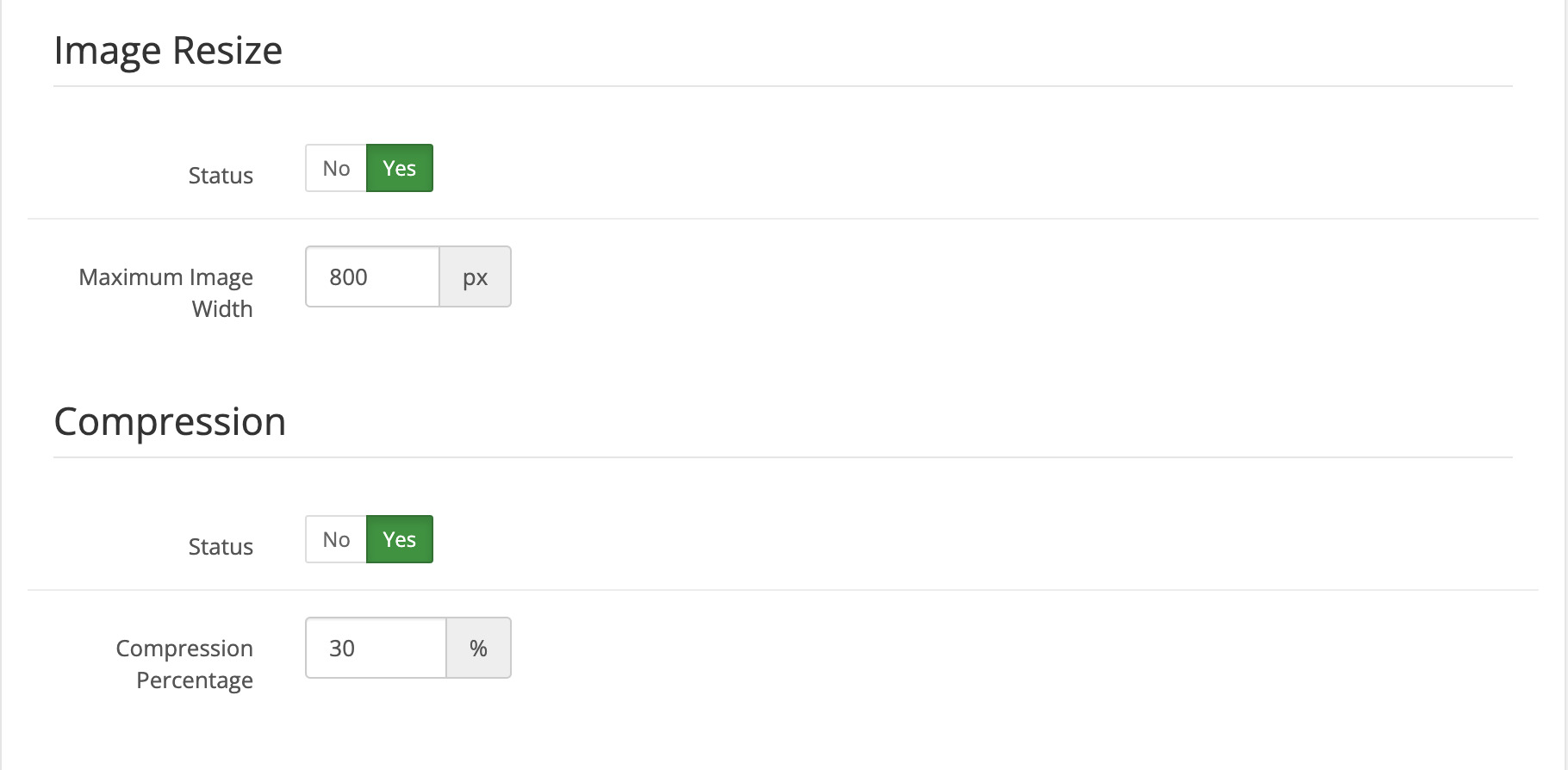
• Automatic image compression on upload
• Automatic image resizing on upload
and more.
KEY FEATURES
-
Enhances the default OpenCart file manager, including automatic return to the last visited folder.
-
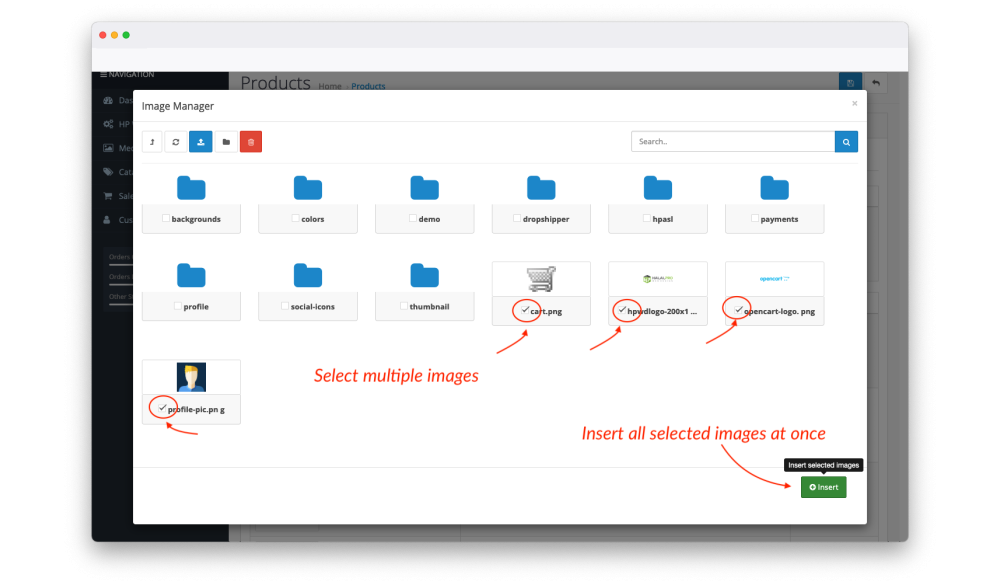
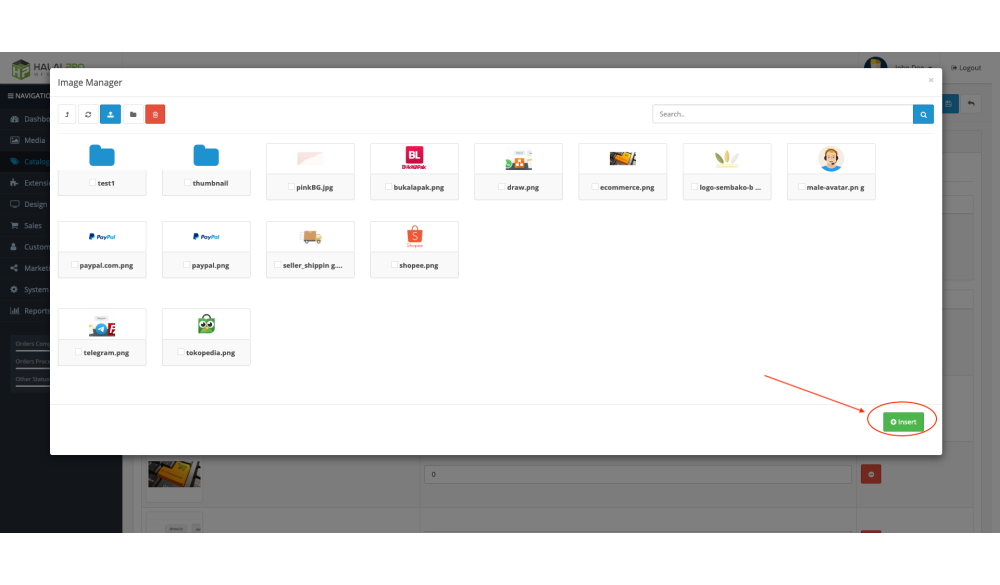
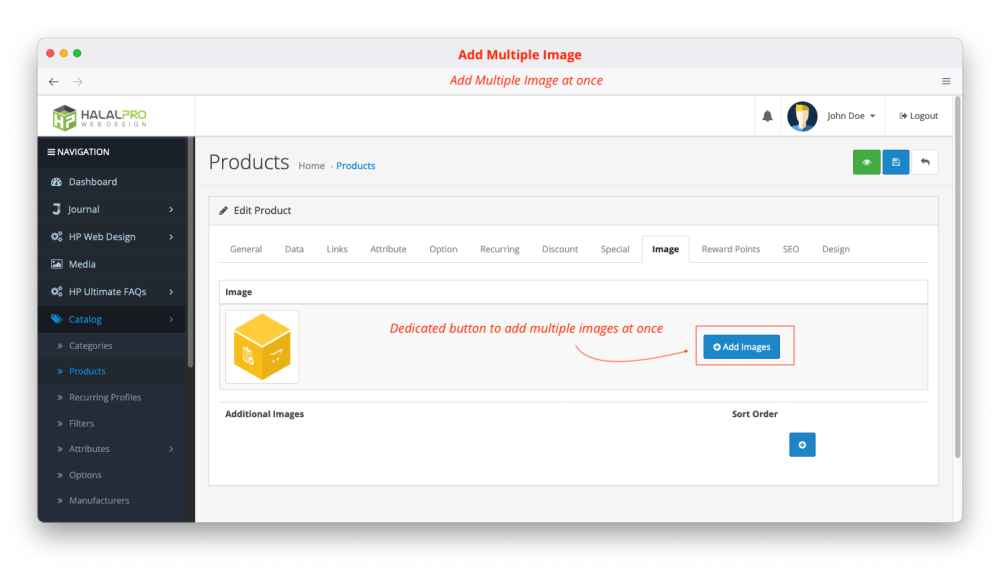
Insert multiple images at once when adding product images.
-
Automatically remembers the last folder you opened for faster workflow.
-
Improved and cleaner UI for a more efficient file-management experience.
-
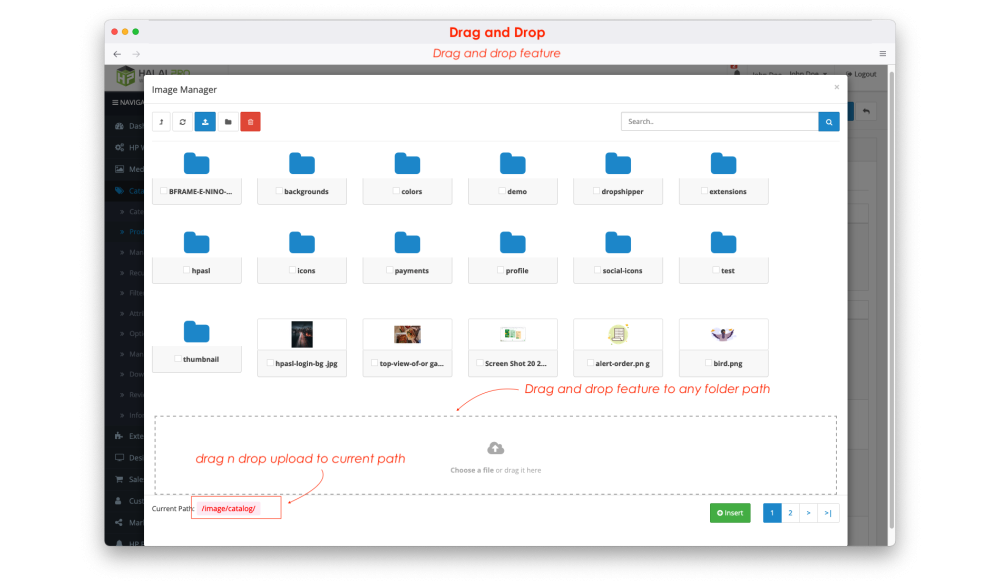
A dedicated Media Manager page to organize all media files in your system, complete with convenient tools such as drag-and-drop upload.
-
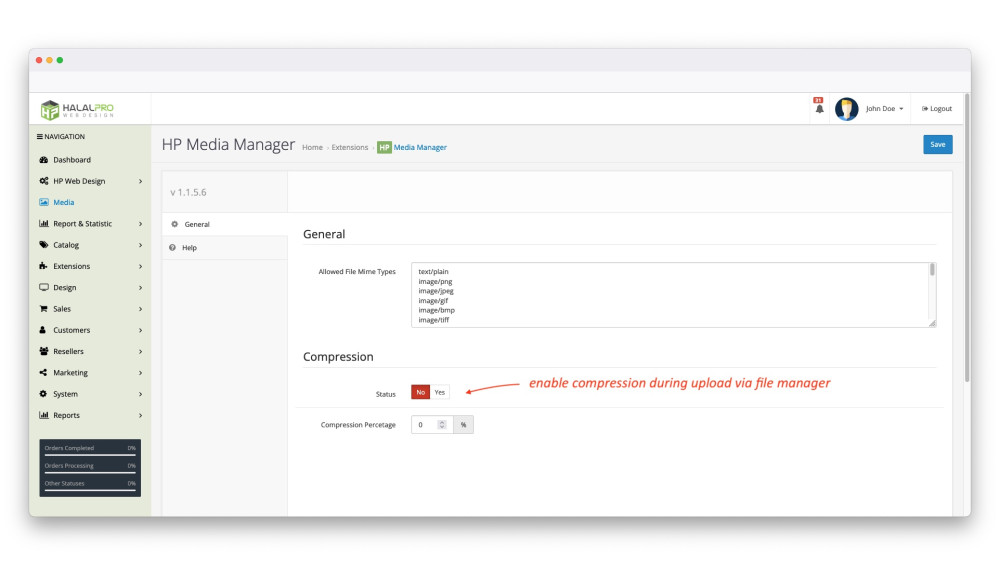
Configurable image compression settings and customizable allowed file MIME types.
-
A quick-access Image Manager button directly on the product list page.
-
File extension conversion
-
Automatic image compression on upload
-
Automatic image resizing on upload
-
Additional features and enhancements coming soon.
Special File Manager Features
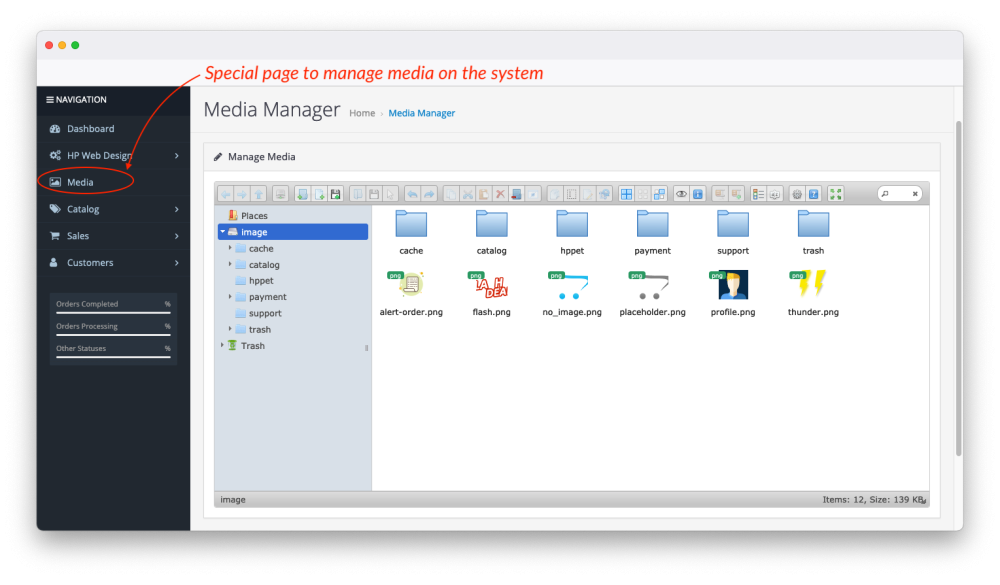
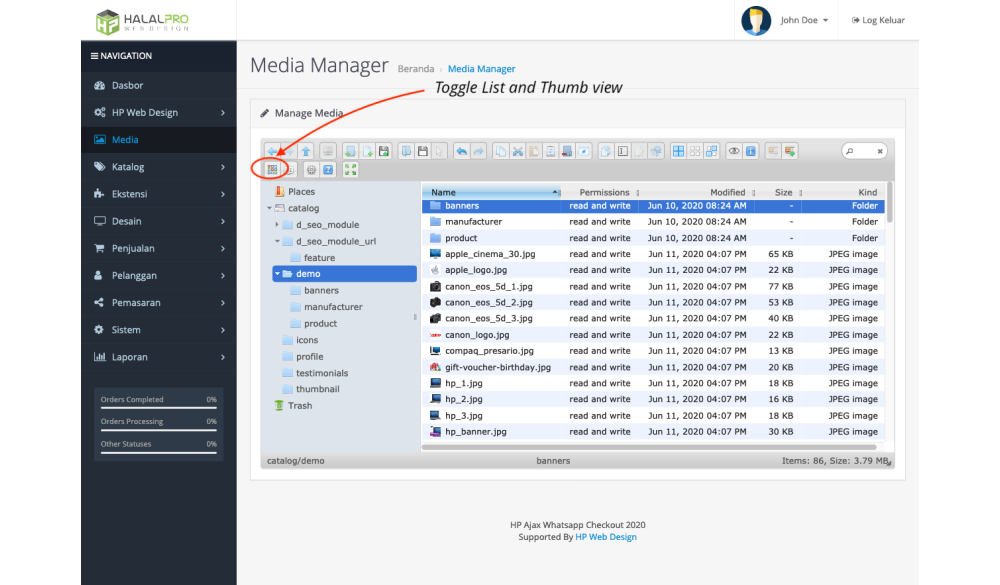
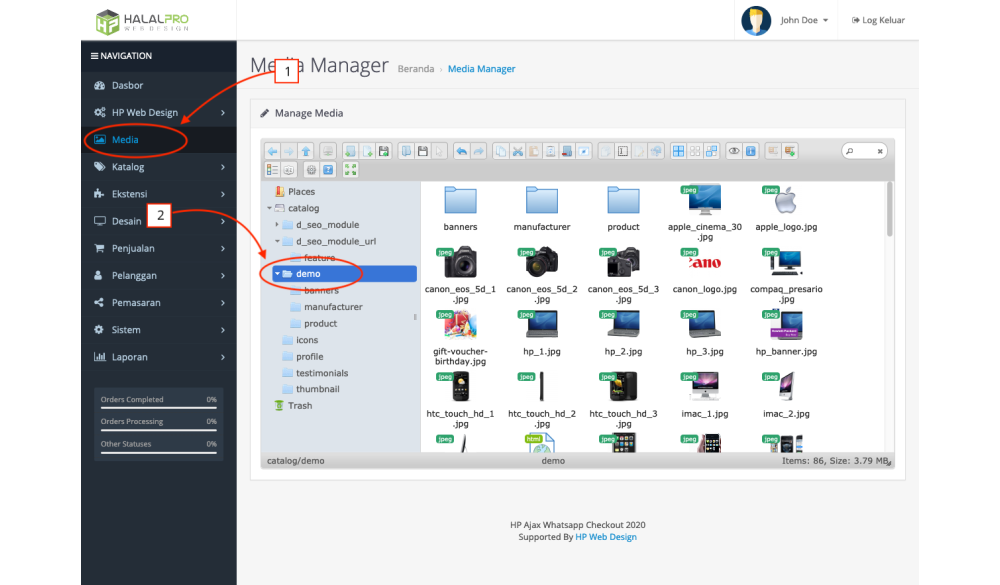
1. Special Page to manage File/Image Manager
- This page will allows you in doing media management such as organizing images and folders, searching, and so on with enhanced user experience.
- You can immediately manage files or folders in realtime with an attractive appearance, so you will have no difficulty in doing these activities.
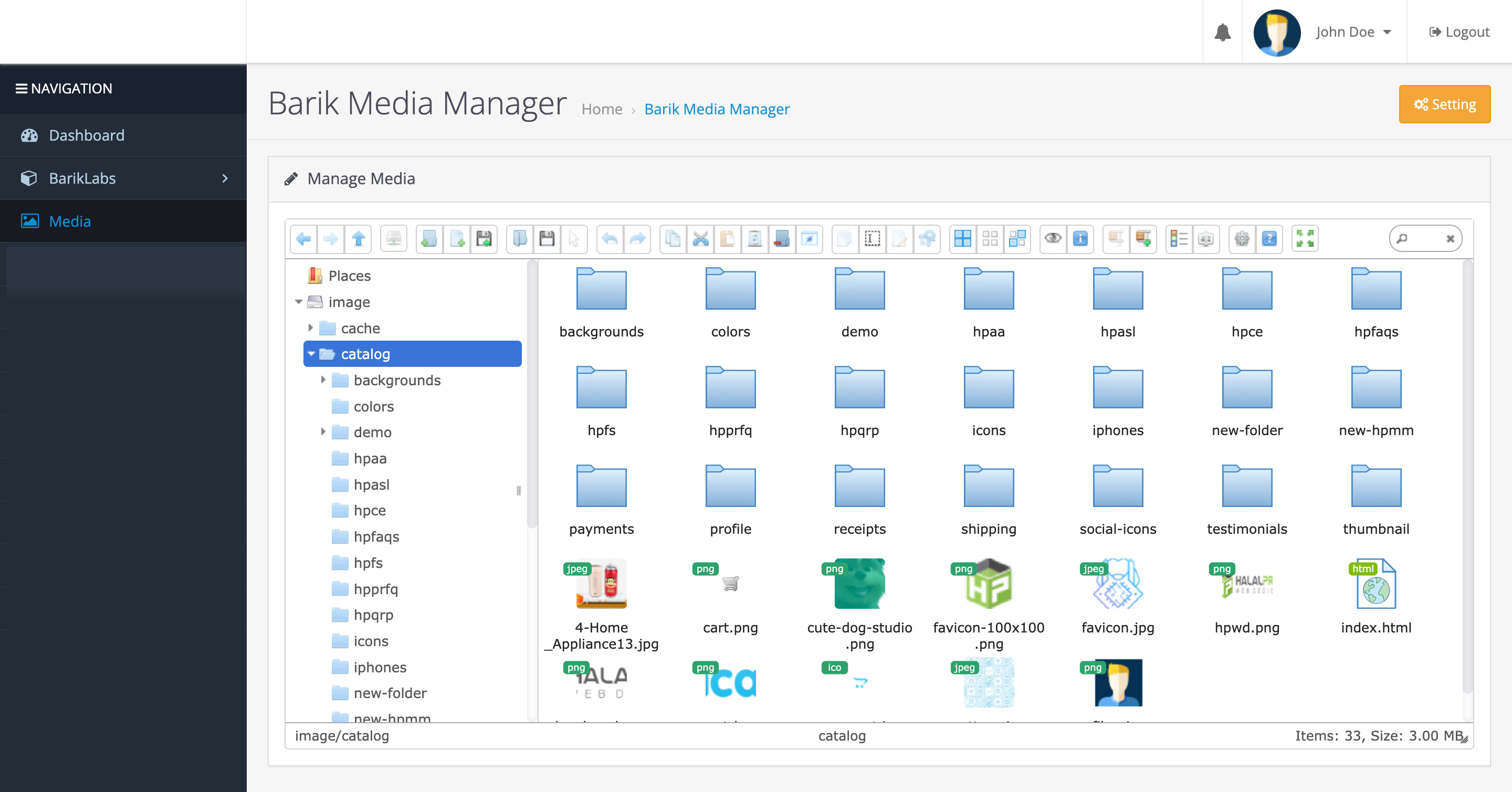
Among Dedicated File Manager Features for OpenCart
-- Toogle List and Thumb View
In addition you can also change the file and folder capture in the form of a list or thumb view just by using the toggle button. This makes it very easy for you because it is like a file that is contained on your computer.
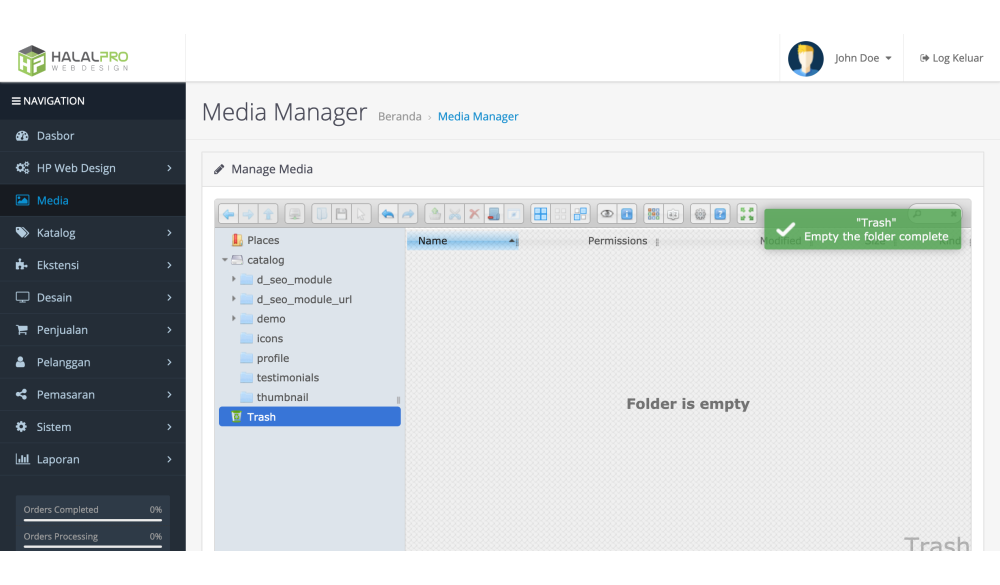
-- Trash System
The File/Image Manager also provides a Trash System feature where we can delete files and what we have deleted will go into the trash. So when you accidentally delete a file or folder there is no need to be afraid because it can be restored. There is also an Empty Trash feature which is used when you want to permanently delete files or folders in the trash.
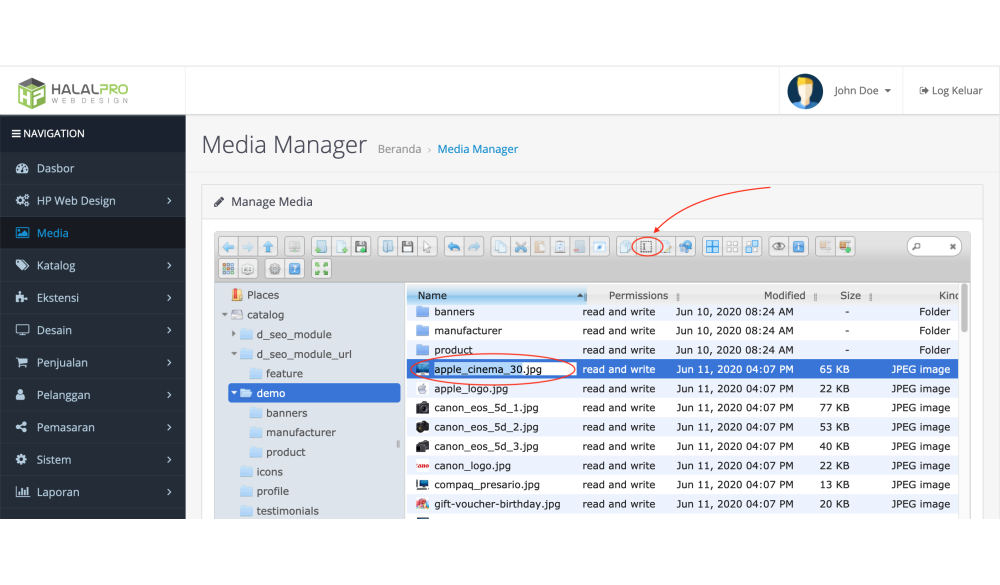
-- Rename File and Folder
In this File/Image Manager, it has a feature is used to do Rename File and Folder in realtime, just click the file or folder then press the rename icon, then you can immediately change it.
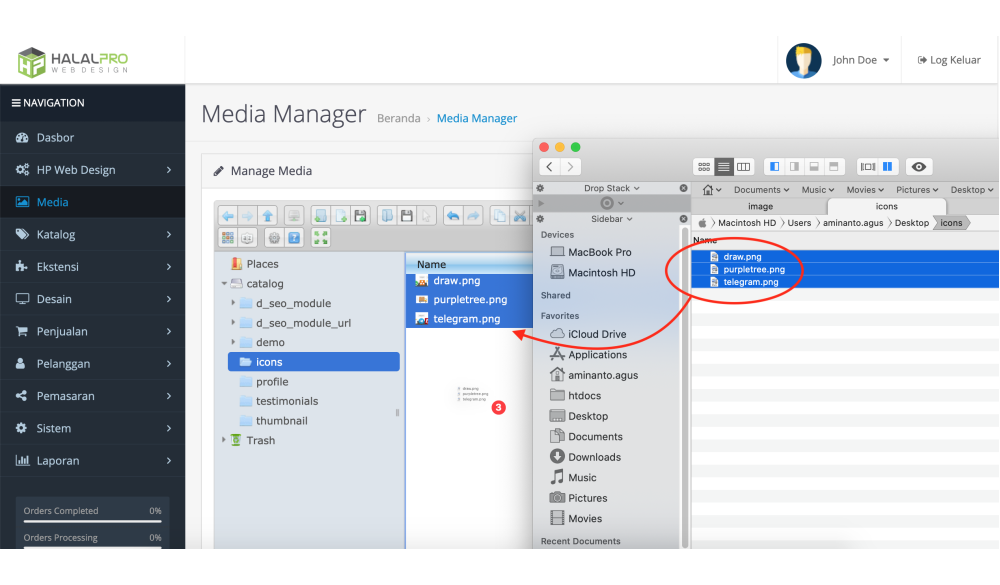
-- Drag and Drop
Drag and Drop feature can make it easier for you when you want to upload multiple files or folders. Just drag and drop your files or folders already uploaded!
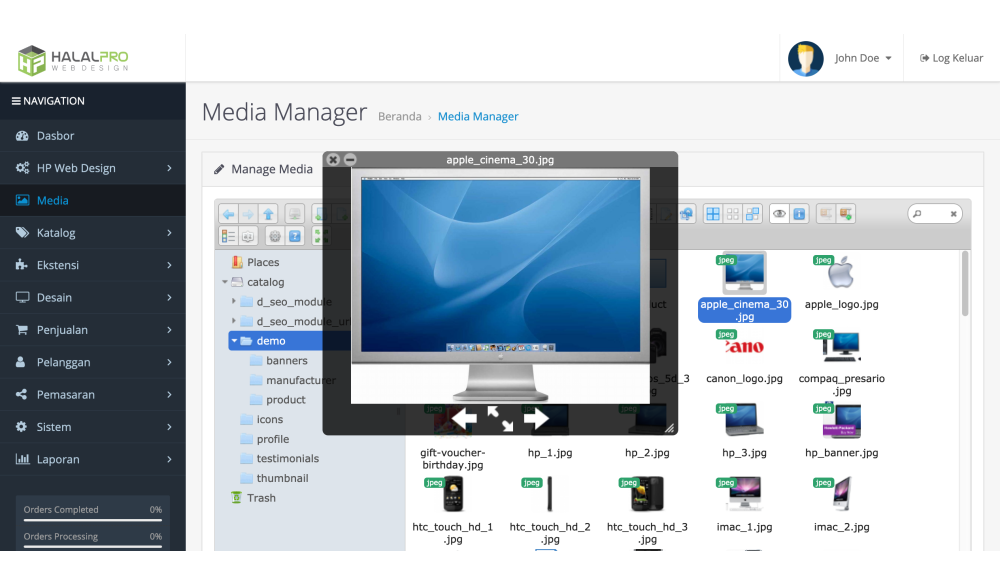
-- Preview Image
With the Image Preview feature, it will be easier for you when you want to check whether the image to be used is correct or not.
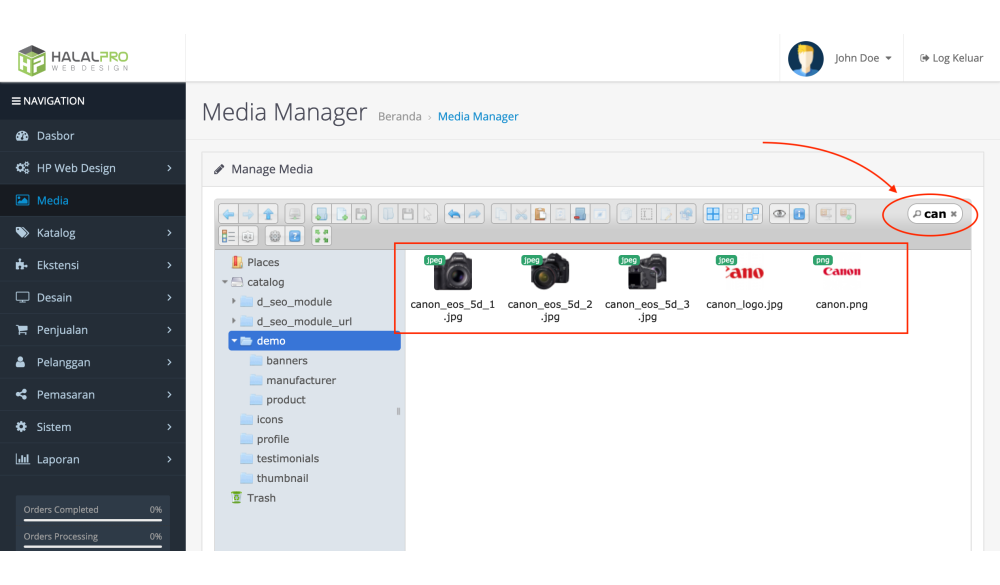
-- Image Search
In addition, Image Search feature is also provided to make it more efficient in finding an image.
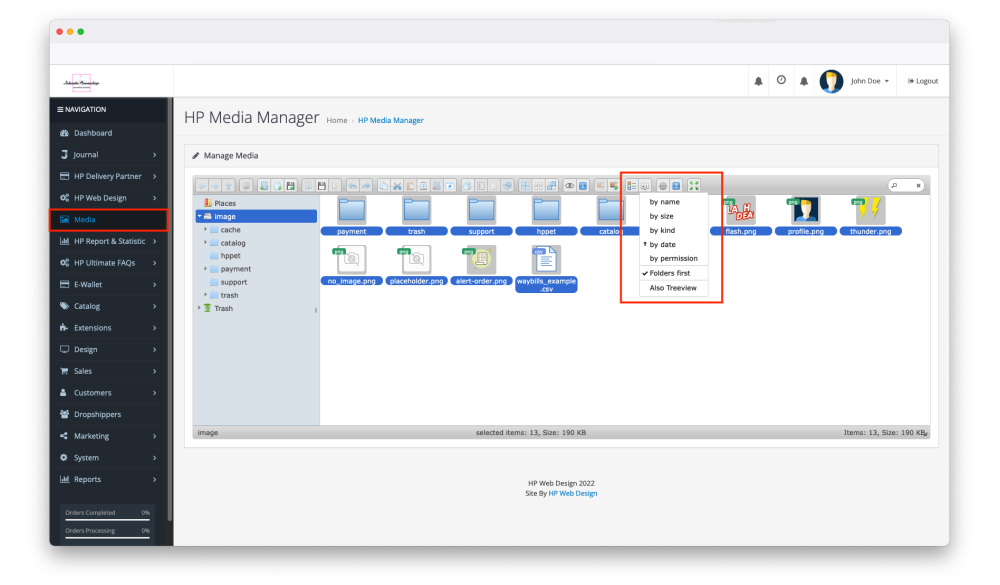
-- Sort Files
In addition to the search feature, you can sort images to make it easier to find images
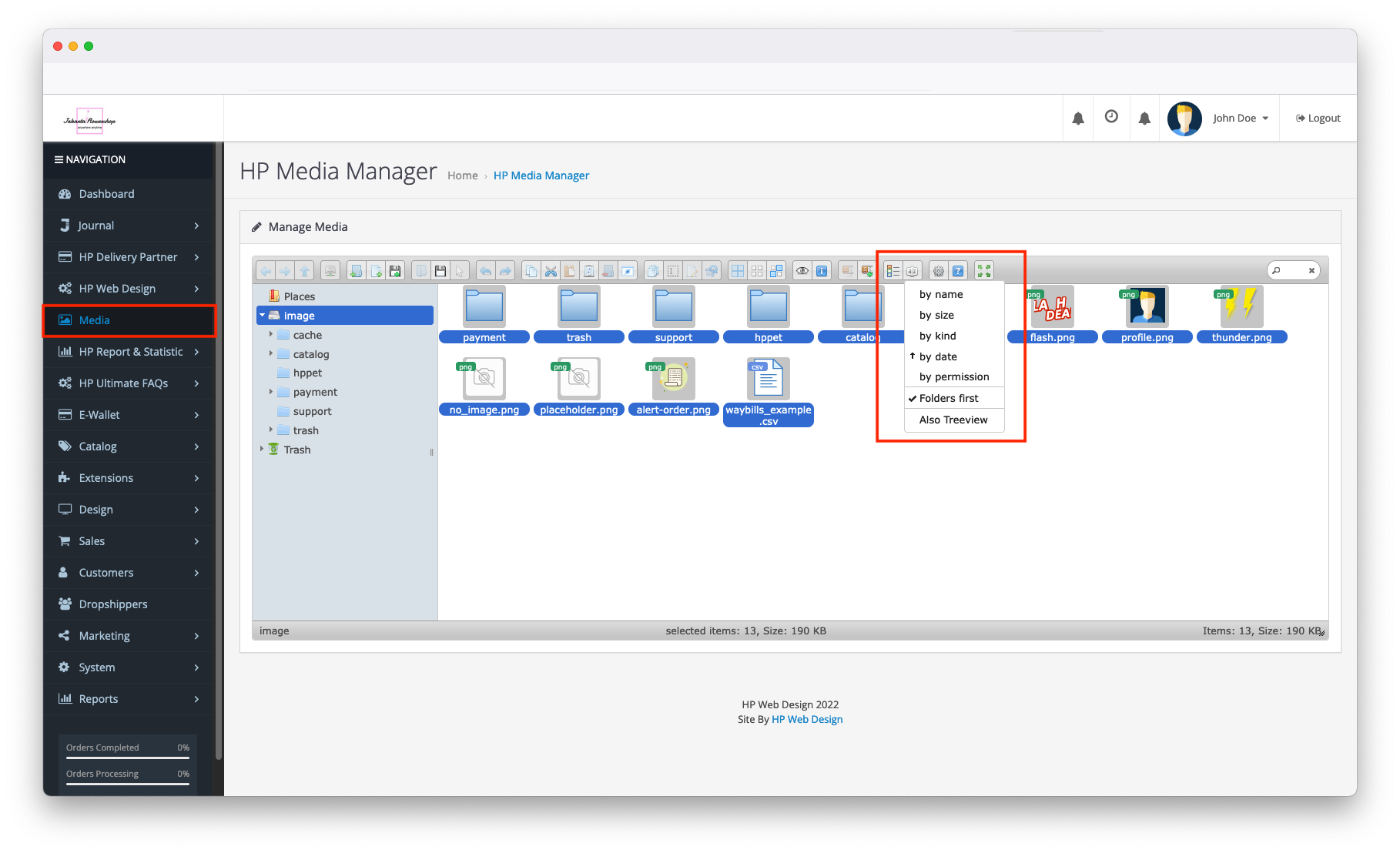
-- Much More
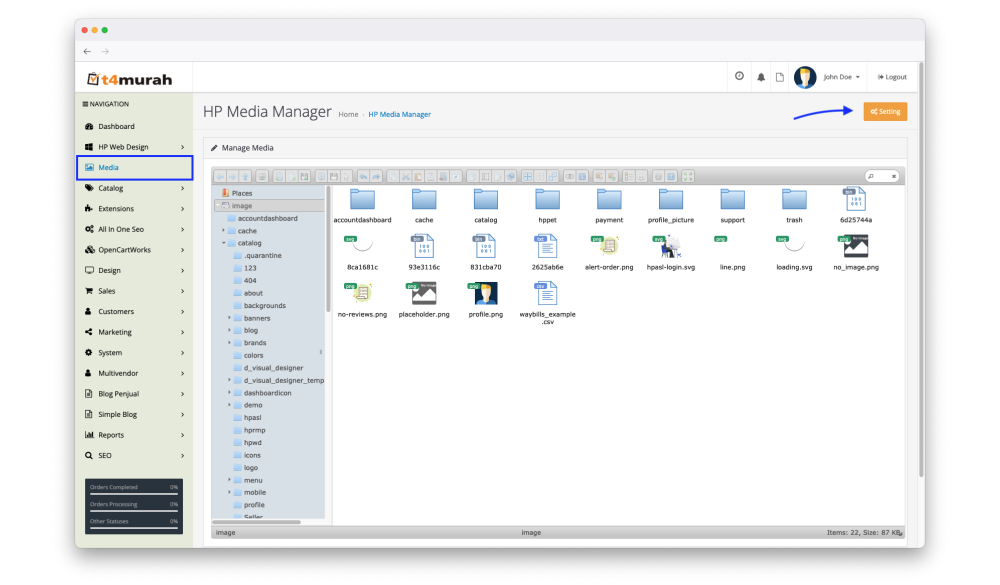
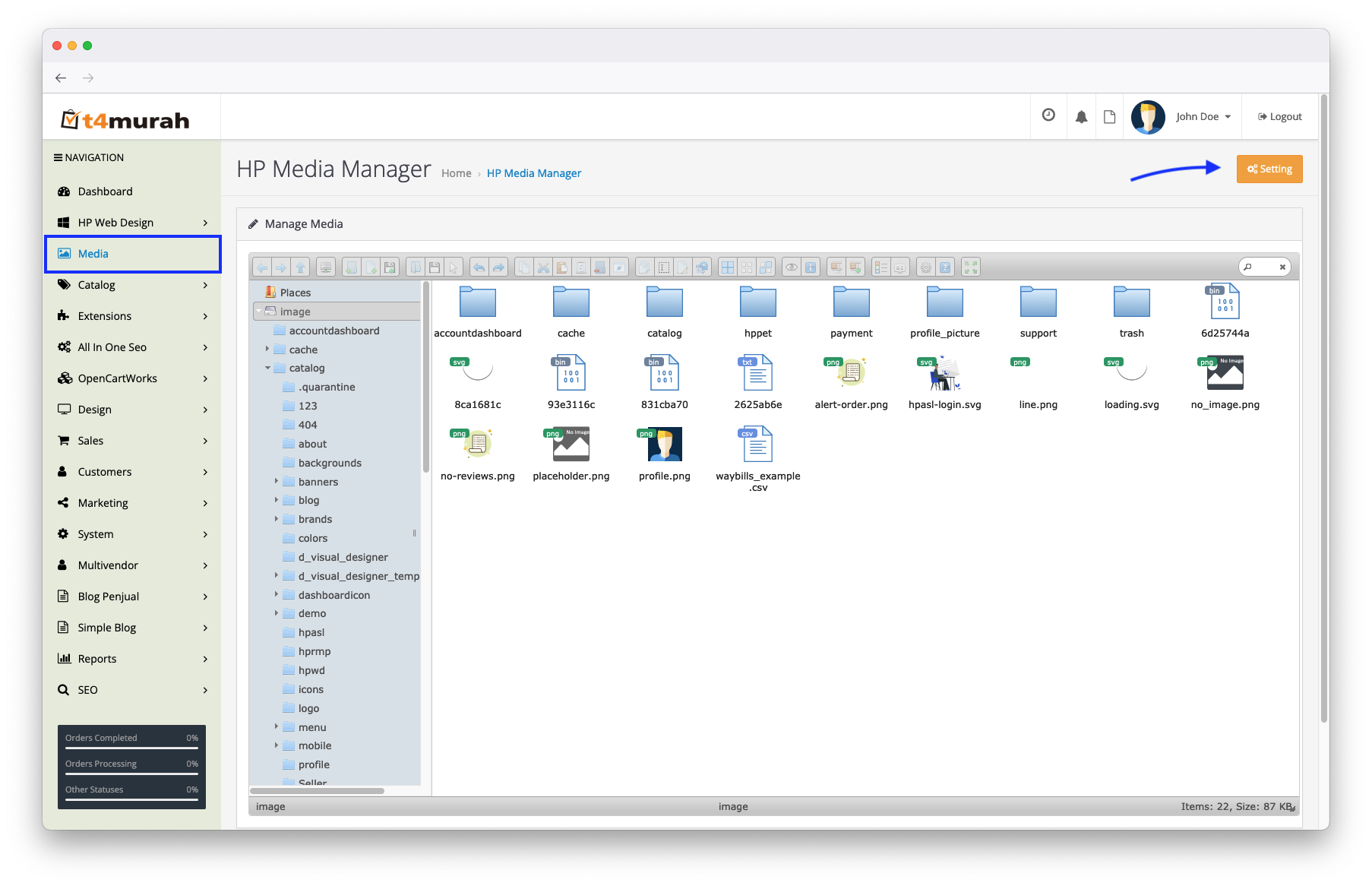
2. Access Image Media Manager Setting
- You can access the settings page by clicking the settings button provided
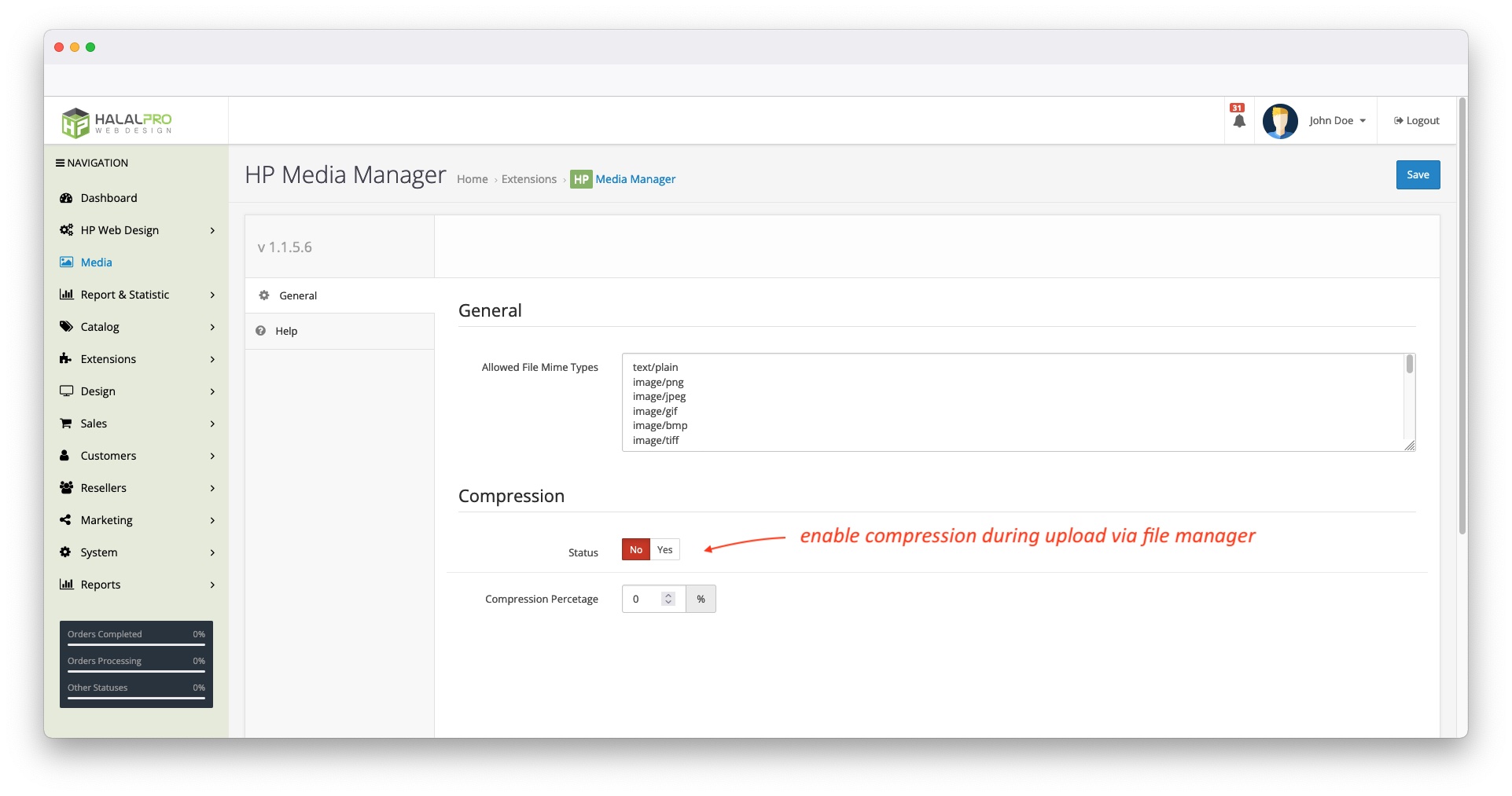
- You can edit the list of mime types that are allowed to upload.
- Enable image compression and its compression level
Automatically convert image format and rename into SEO URL slug.
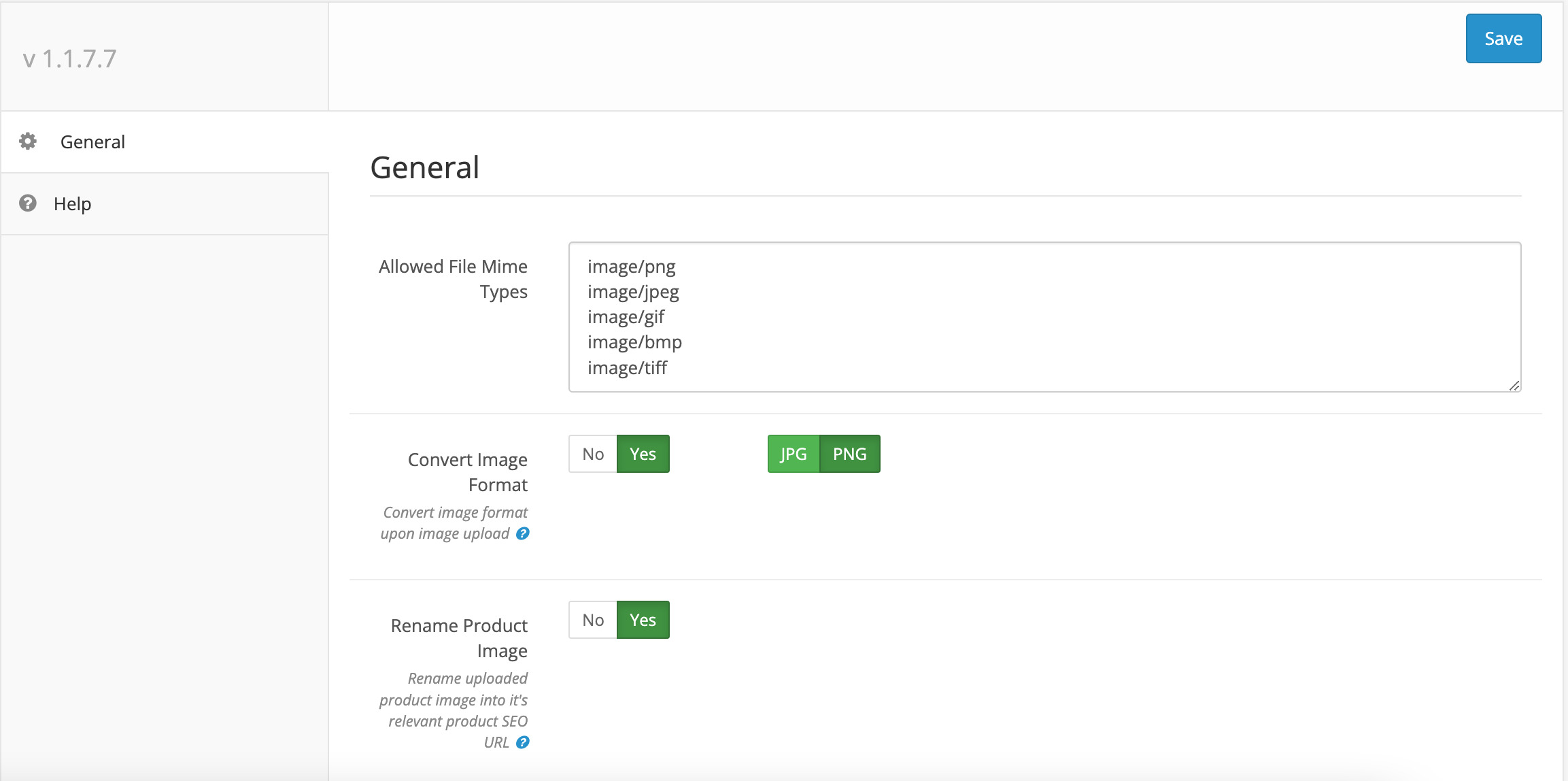
Image resize and compression
3. Enhance Default OpenCart File Manager
- Insert multiple images at once when inserting images in product form
- Remember last visited folder
- Enhanced UI
4. Drag and Drop Feature
- Drag and drop feature on OpenCart default file manager
Much More
- Check out the demo for other features
| Specification | |
| License | Single Domain License |
| Compatibility | 3.0.5.1, 3.0.5.0, 3.0.4.1, 3.0.4.0, 3.0.3.9, 3.0.3.8, 3.0.3.7, 3.0.3.6, 3.0.3.3, 3.0.3.2, 3.0.3.1, 3.0.3.0, 3.0.2.0, 3.0.1.3, 3.0.1.2, 3.0.1.1, 3.0.0.0 |
| Documentation | |
| Multi-lingual Support | YES |
| Override Core Files | NO |