
Sale
%20setting%20on%20opencart-1000x585.png "Bariklabs Chained Product Options PRO OpenCart")
Bariklabs Chained Product Options PRO OpenCart
- $99.00
$29.99
HP Chained Product Options PRO OpenCart
- One of the best possible Chained Product Options on OpenCart World!
- When in comes to creating product variation the ideal thing should be: each variant can be set different price and stock.
Key Features: Chained Product Option OpenCart
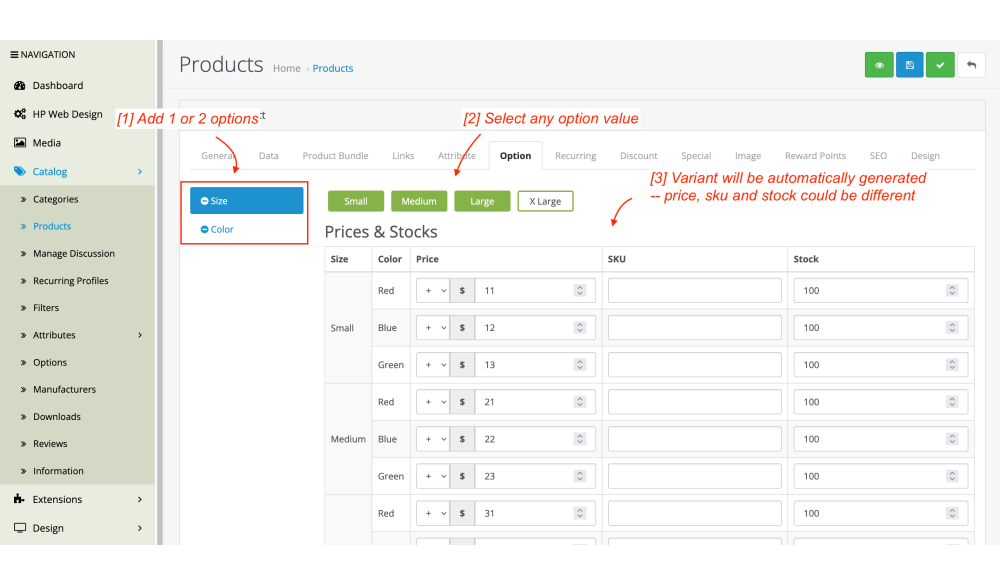
- Easily create variant from 2 product option combination
- Add unique price and stock for each varient
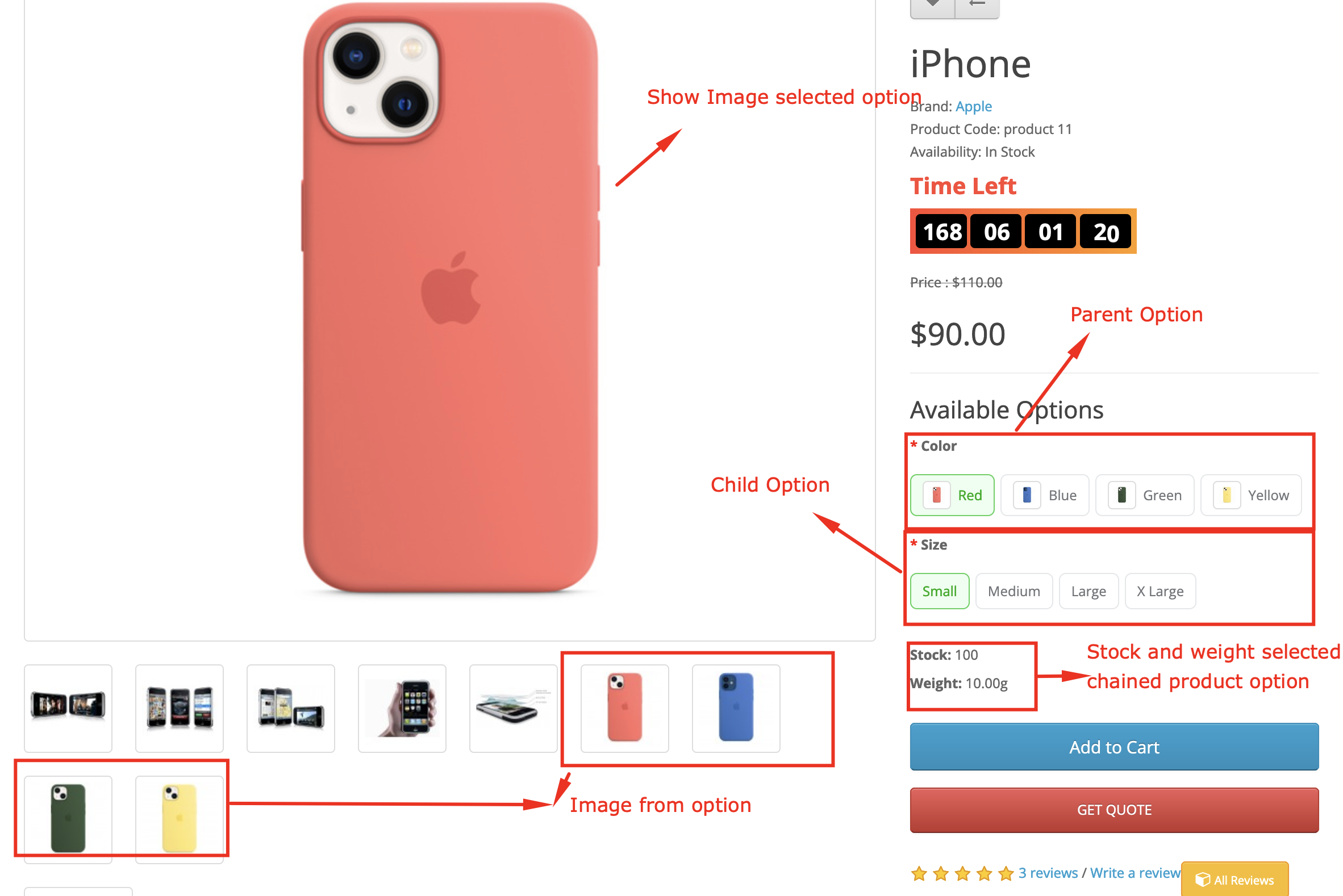
- Image option + change the product image thumb on selecting variant on product page.
- Create any option combination that you want: extension will parent and child option automatically.
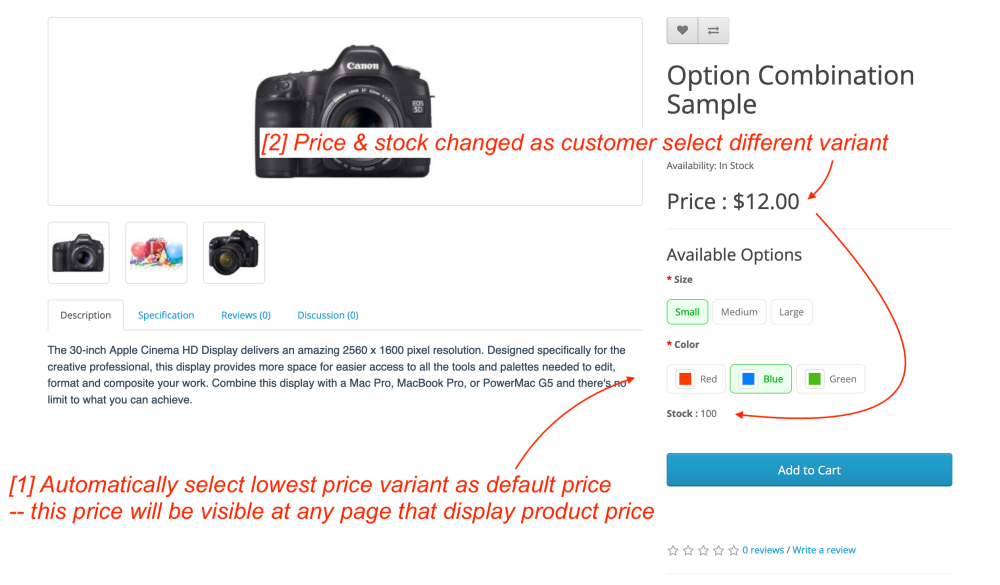
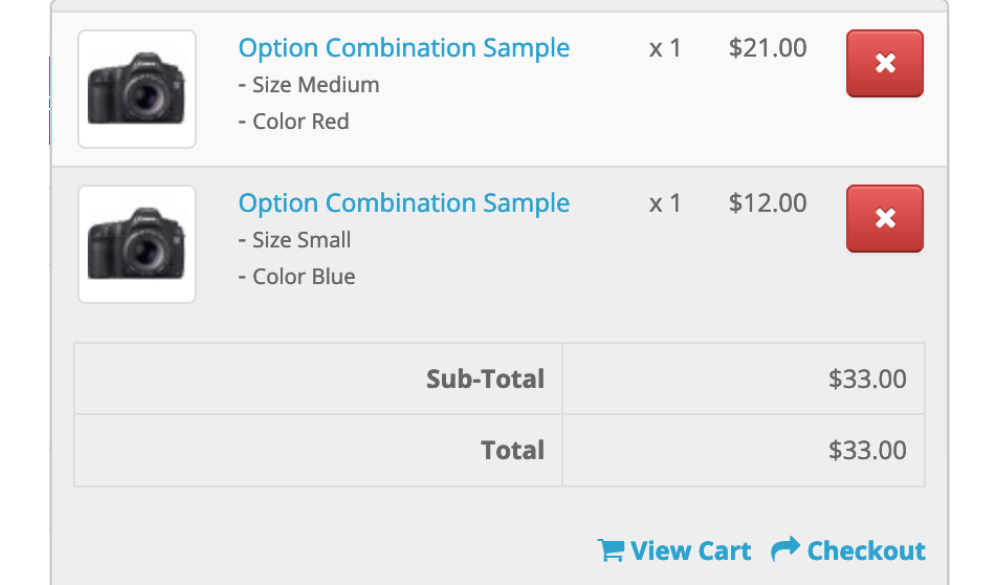
- Price changes on changing option combination.
- Automatically use lowest price option as default price and option combination. Both on product page and any product list page.
- Any theme compatibility : guaranteed!
100% Journal 3 Compatible

Journal 3 Theme Compatibility Tested!
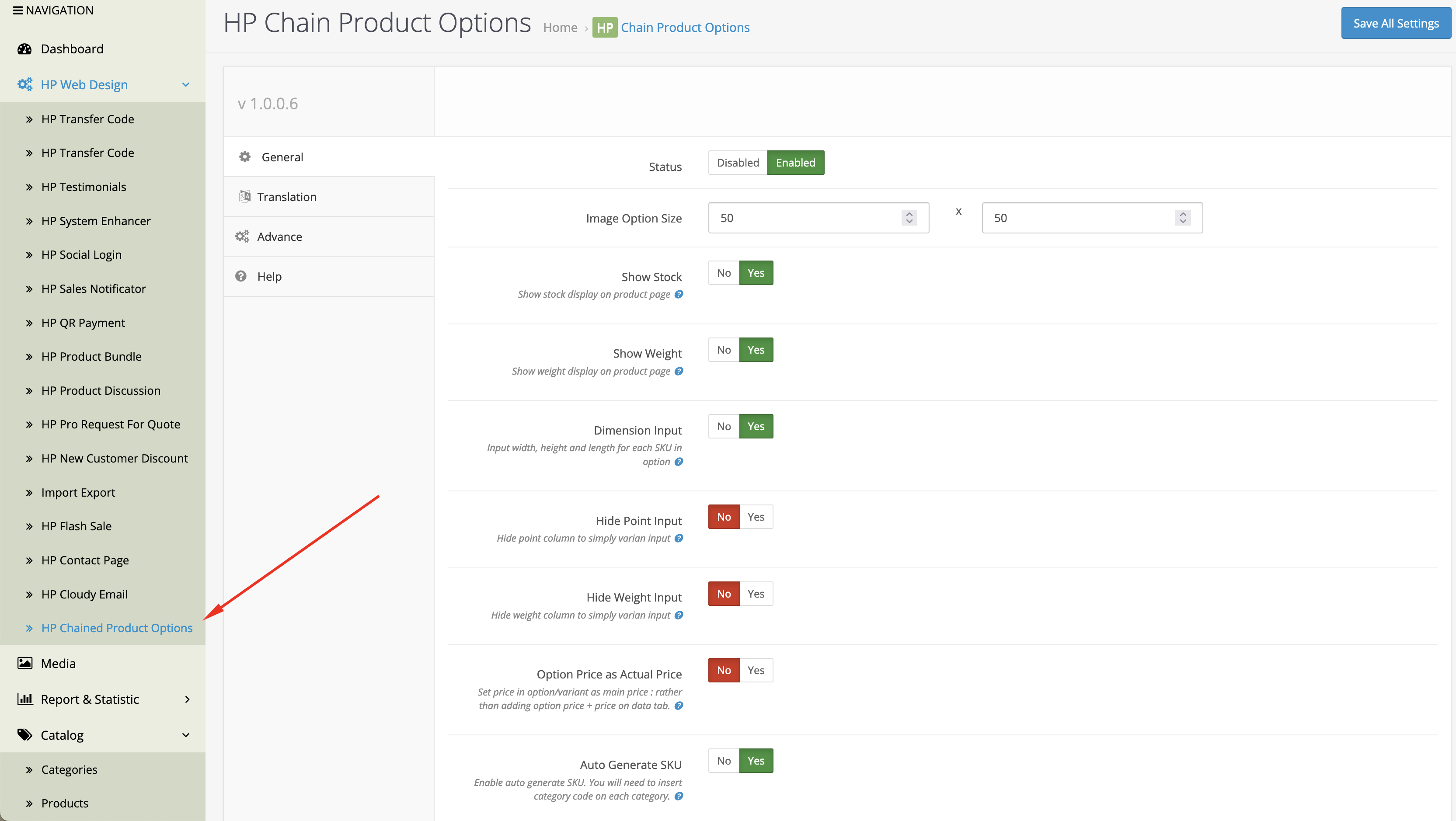
1. HP Chained Option Setting OpenCart
- Auto generate SKU
- Make Option as actual price
- Show / Hide input in product options such as weight, point and dimensions
- Set the default stock on each product option
- Set the default stock on each product option Image size in the image option
2. Auto Generate SKU
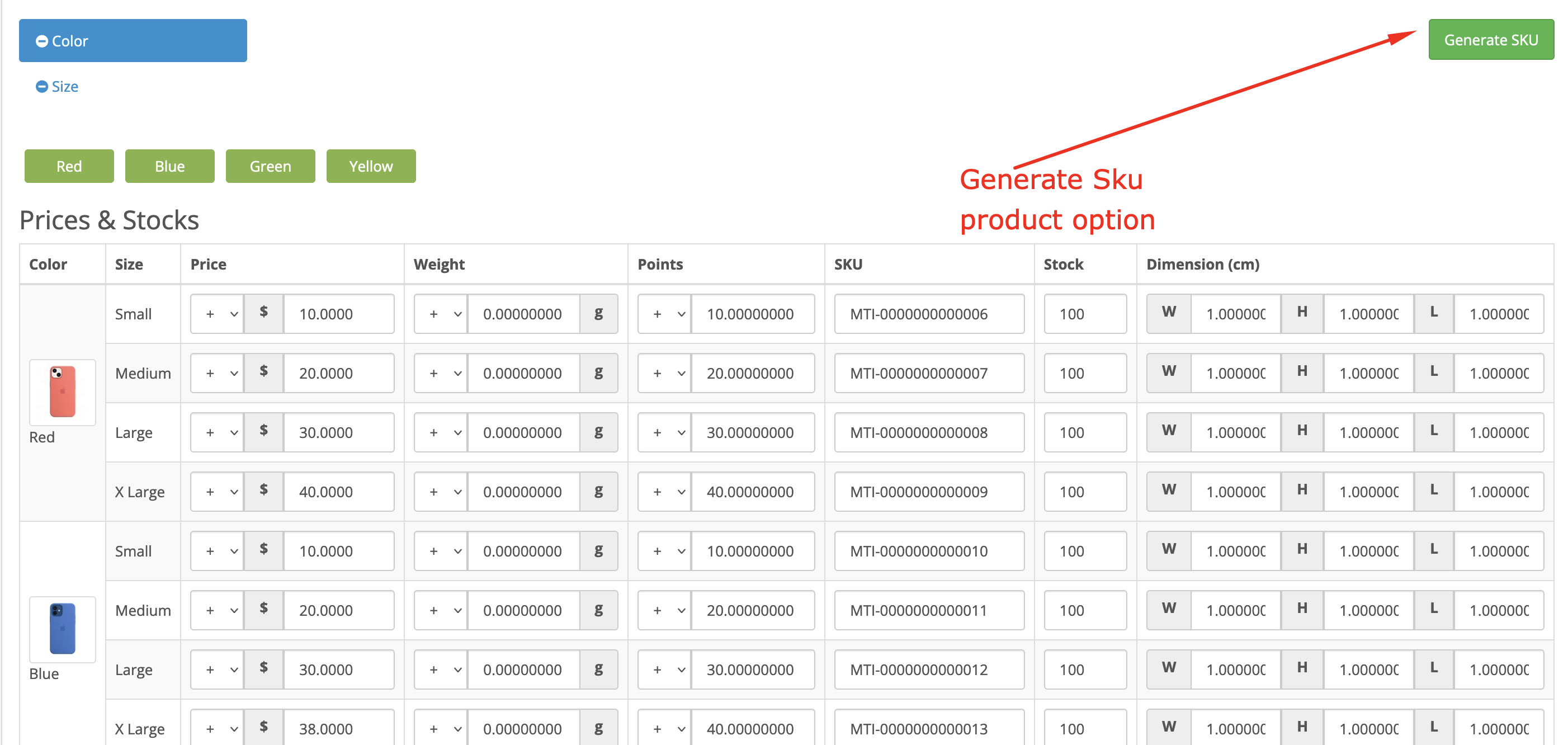
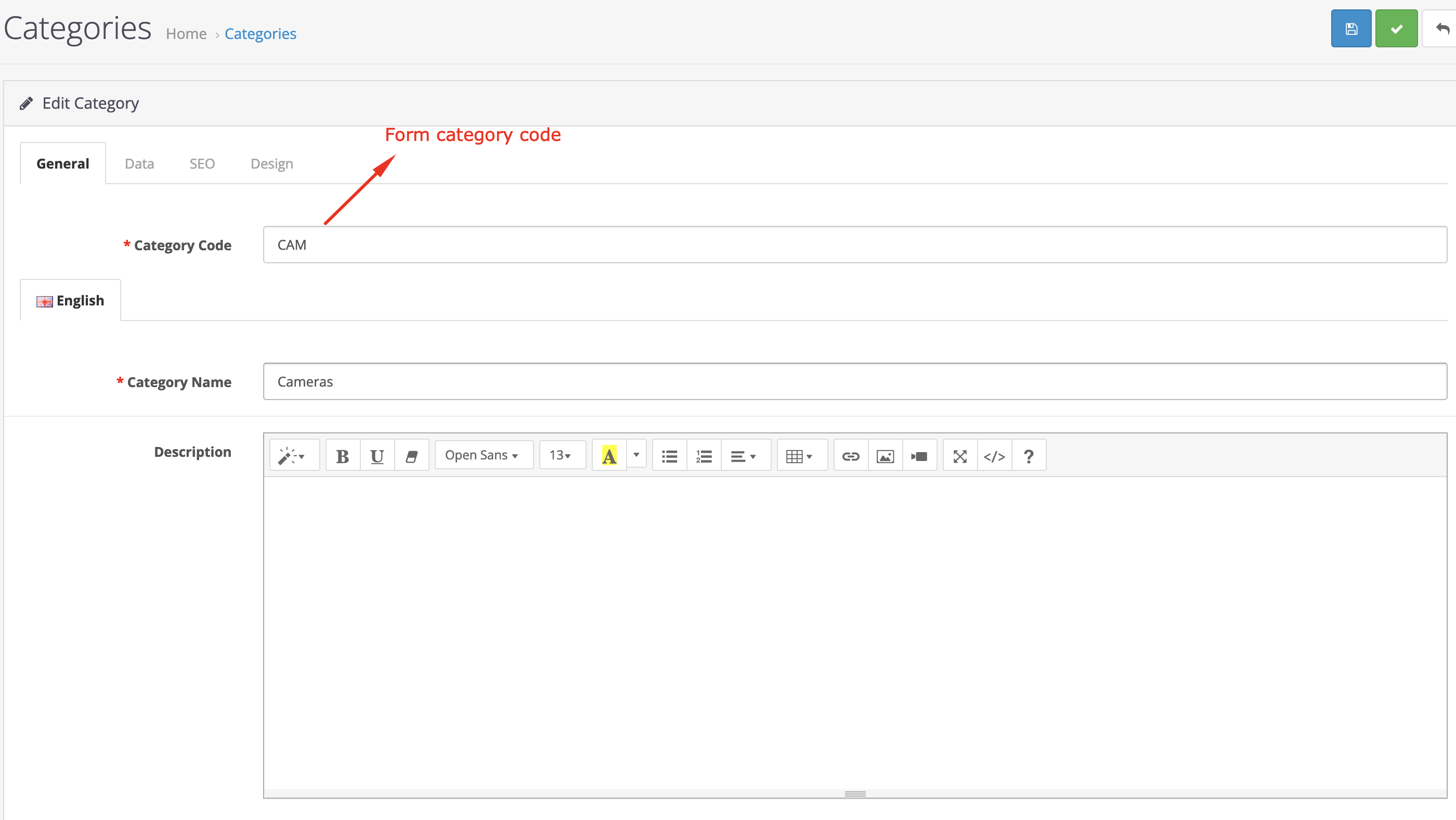
- Generate SKU Button: click the Generate SKU button to automatically generate all SKUs in the product option. (note: product category must be filled in)
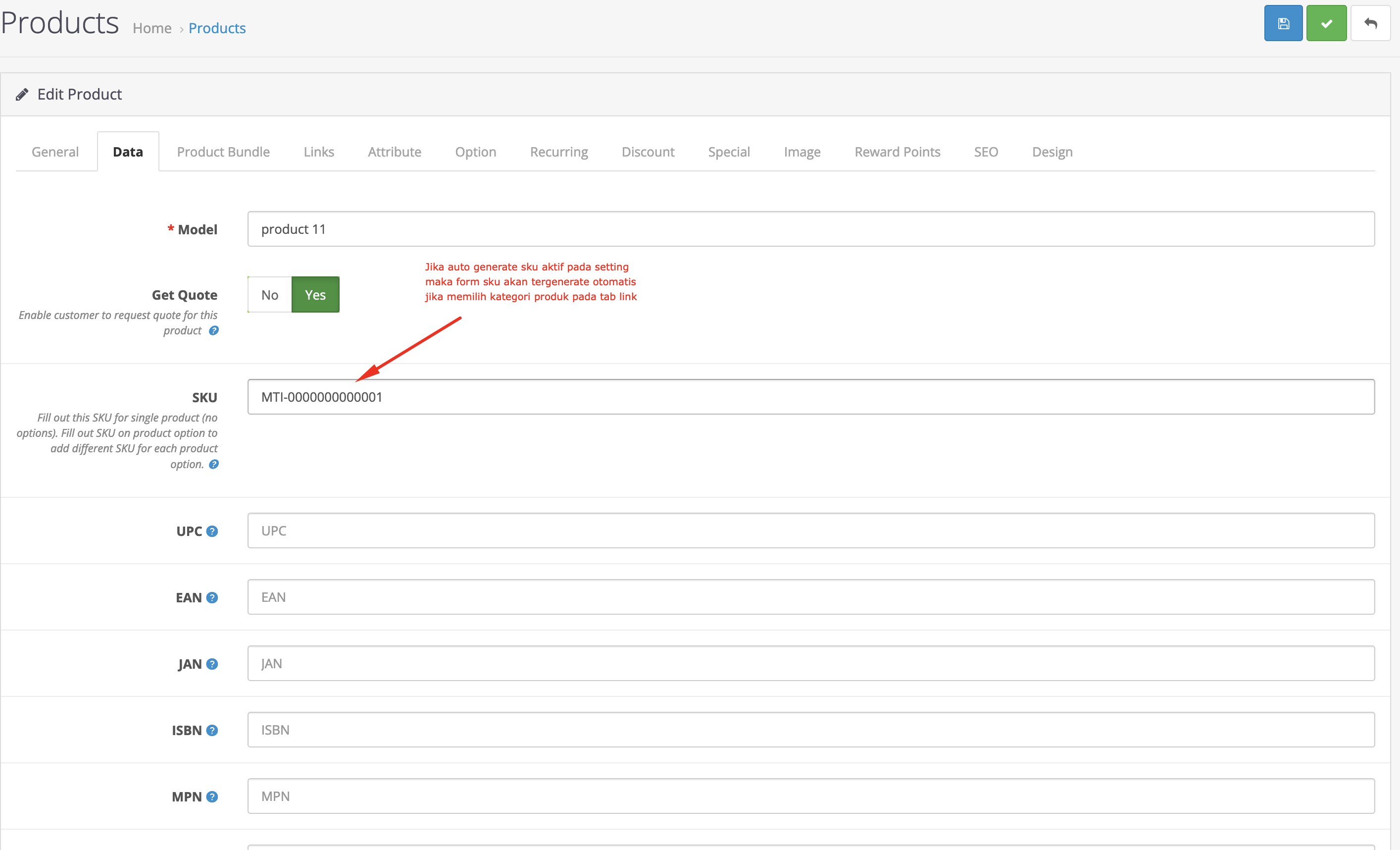
- Auto generate product sku on category selection
- format sku {category_code}-{autoincreament_number}
3. Chained Product Option
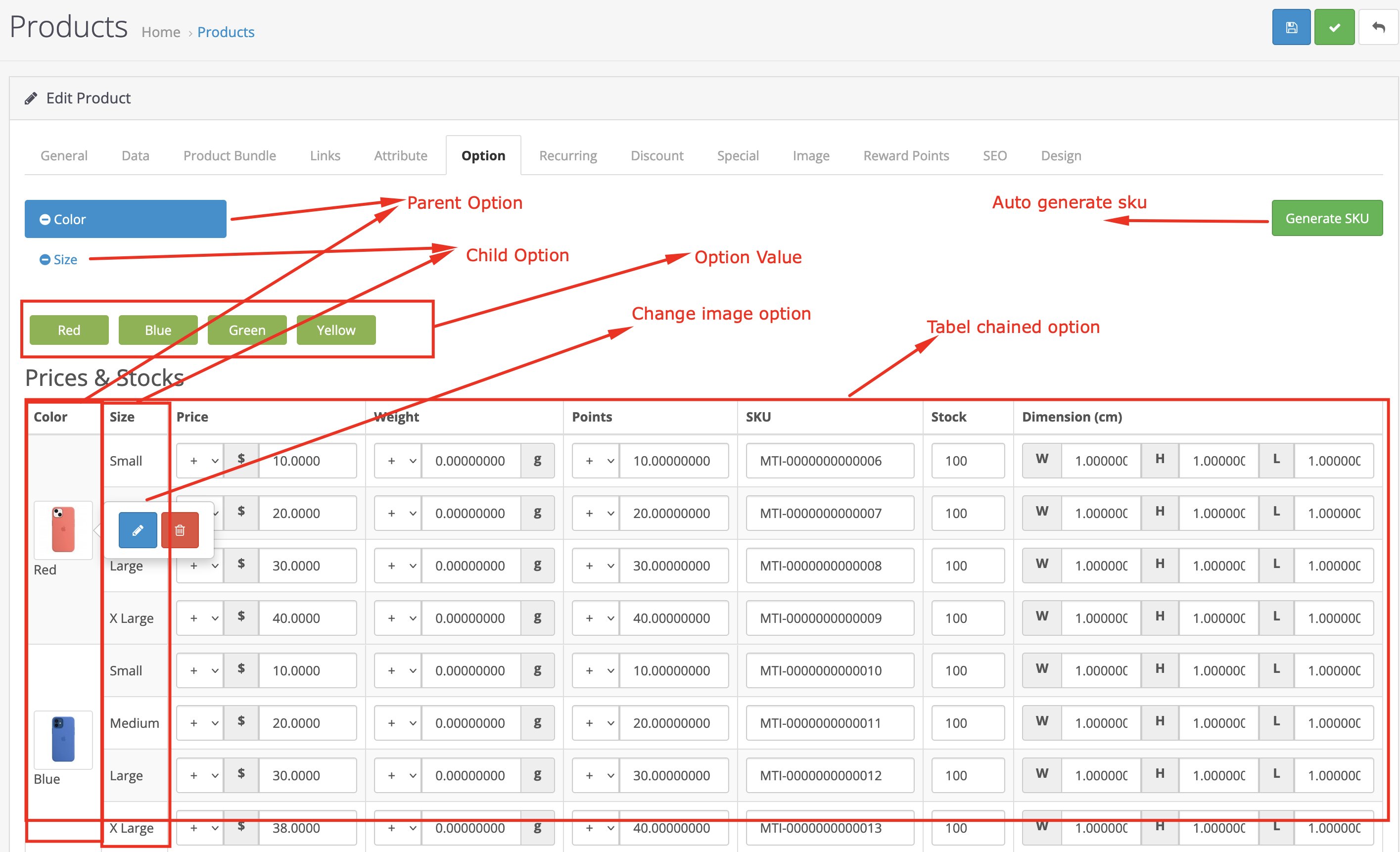
- Auto generate SKU
- Parent and child option : you can create a maximum of 2 options in each product where the first option will be a parent option and the second one will be a child option. Where one option value in the parent has all the option values in the child.
- Change image option: change the image in the parent option. each image will be an additional image on the product page.
- Tabel chained option
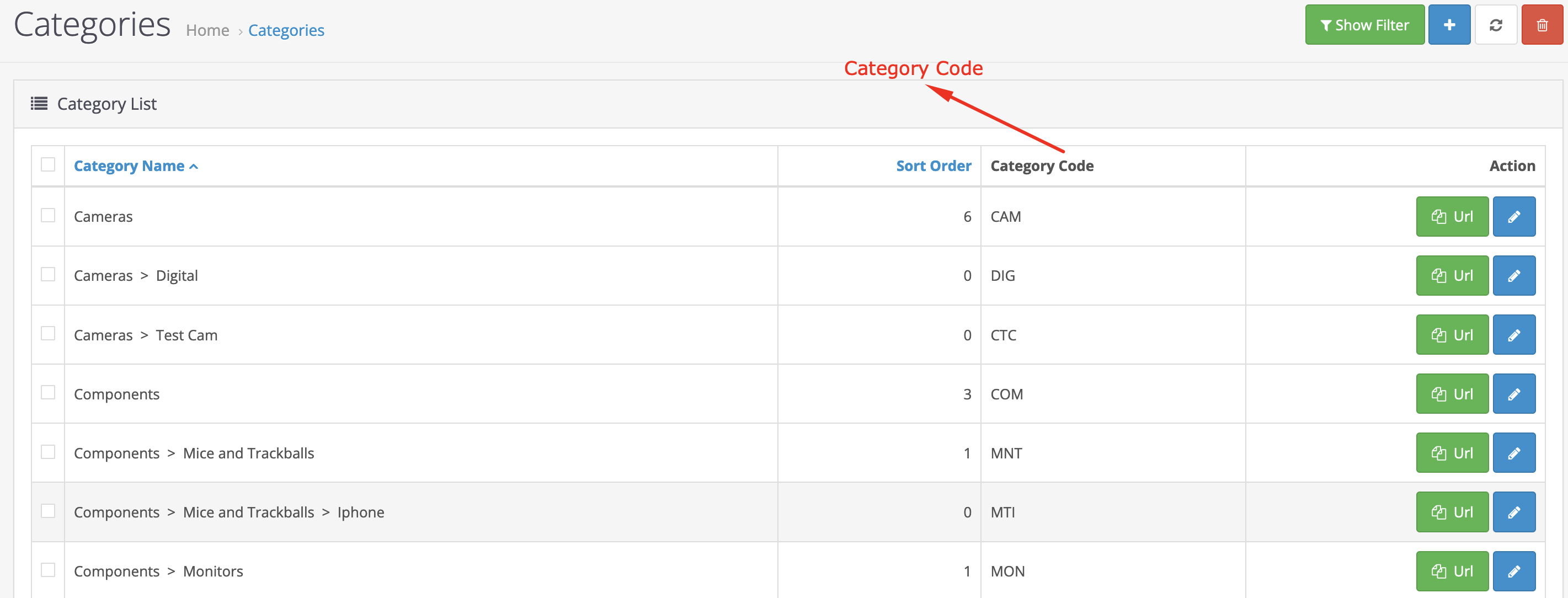
4. Category Code
- Add category code to auto generate sku
5. Product Page
| Specification | |
| License | Single Domain License |
| Compatibility | 3.0.5.1, 3.0.5.0, 3.0.4.1, 3.0.4.0, 3.0.3.9, 3.0.3.8, 3.0.3.7, 3.0.3.6, 3.0.3.3, 3.0.3.2, 3.0.3.1, 3.0.3.0, 3.0.2.0, 3.0.1.3, 3.0.1.2, 3.0.1.1, 3.0.0.0 |
| Documentation | |
| Multi-lingual Support | YES |
| Override Core Files | NO |