
Bariklabs Product Bundle OpenCart
- $50.00
$29.00
Bariklabs Product Bundle PRO – OpenCart Bundle Extension
Bariklabs Product Bundle PRO for OpenCart
Increase your store's average order value with smart product bundling — no coding required. Bariklabs Product Bundle PRO lets you pair products together and offer customers an automatic discount when they buy the bundle, right on the product page.
Whether you're running a flash sale, a seasonal combo, or an everyday cross-sell strategy, this extension gives you full control: set discounts per product pair, schedule availability windows, and apply bundles to hundreds of products at once using SKU or product name matching.
What You Can Do With This Extension
- Create product bundle packages with per-pair discount pricing
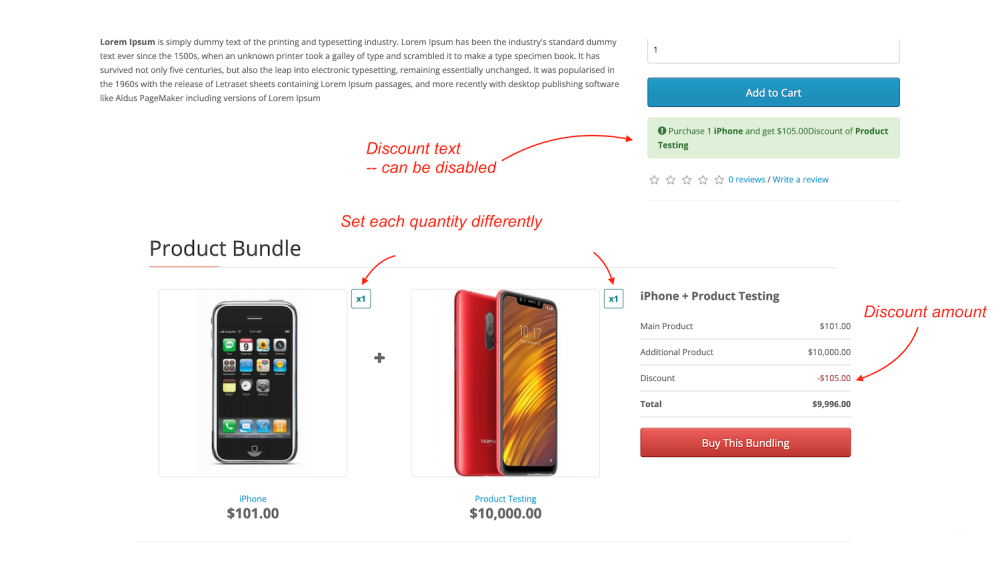
- Display bundle offers with images directly on the product page
- Set limited-time availability for seasonal or promotional bundles
- Apply bundles to multiple products in bulk — by SKU or product name
- Translate all bundle text into any language from the admin panel
- Works with 100% of OpenCart 3.x themes — no template modification needed
1. Main Settings — Full Control From the Admin Panel
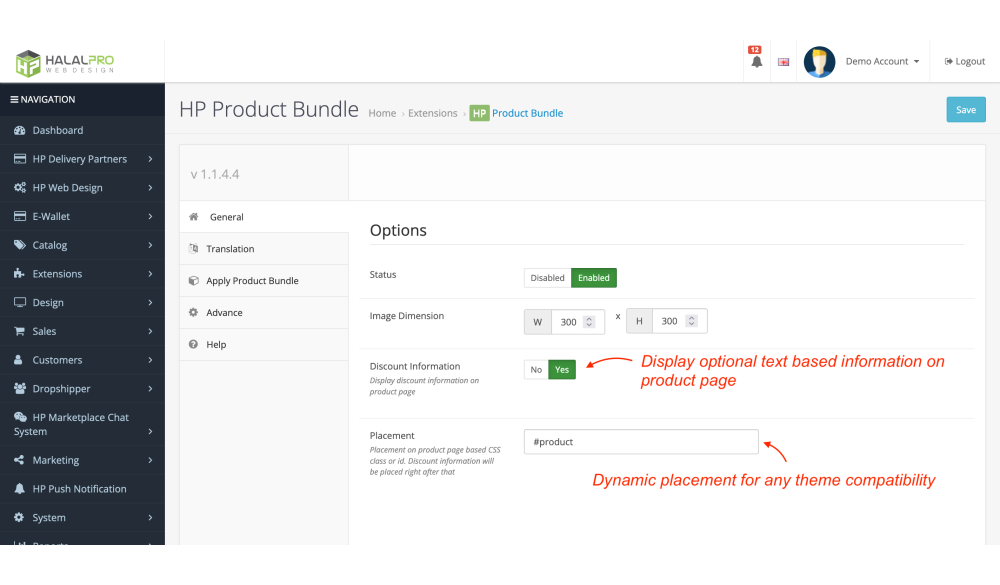
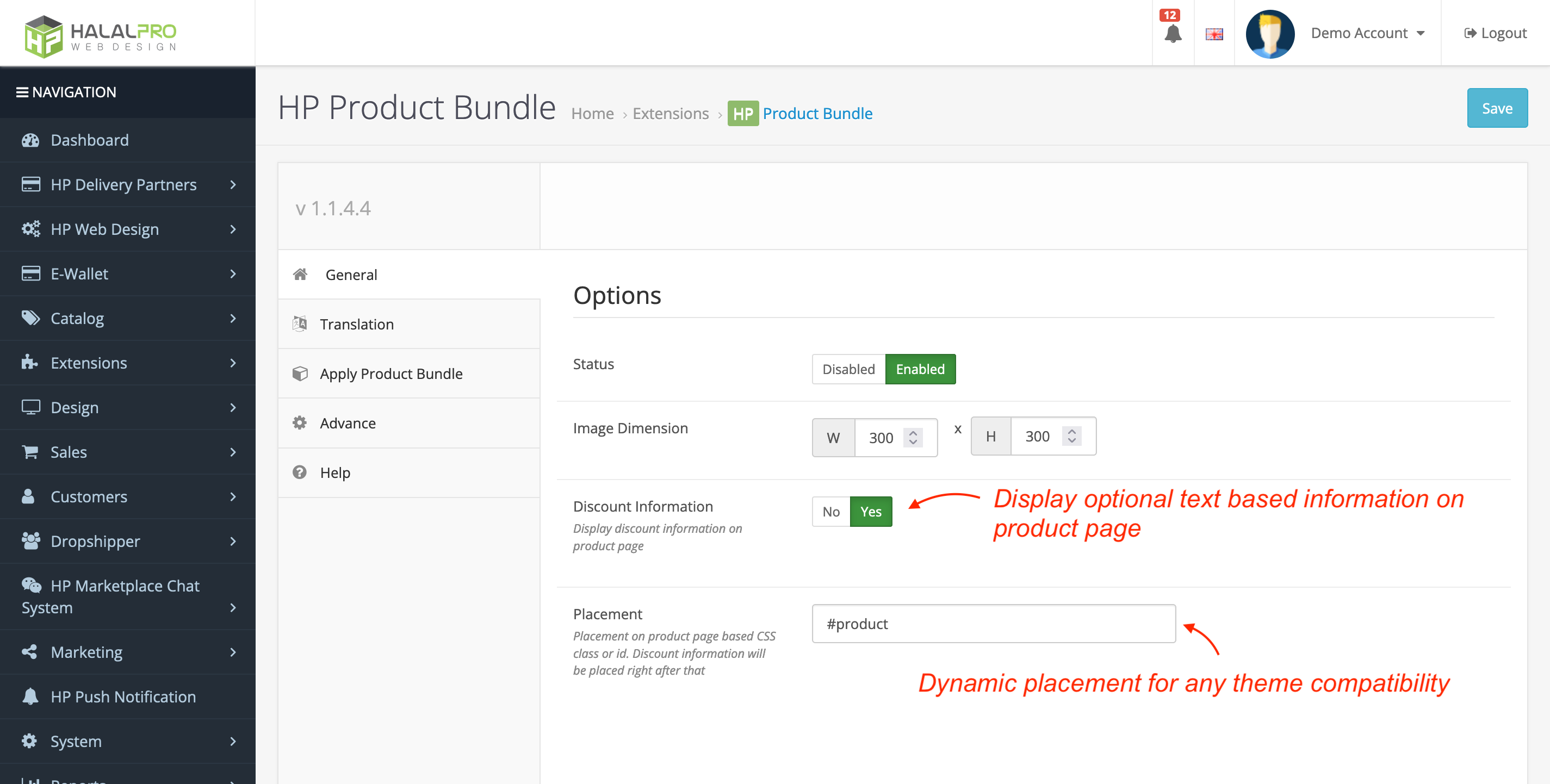
Enable or disable the entire Product Bundle feature with a single toggle. From the main settings panel you can also customize how bundle images are displayed on the product page and choose whether to show the discount label alongside each bundle offer. Position the bundle widget anywhere on your product page using any CSS class or element ID — making it compatible with every theme out of the box.
- Enable / disable all bundle features globally
- Customize bundle image dimensions for your layout
- Toggle bundle discount info display independently
- Place the bundle widget anywhere on the page via CSS class targeting
2. Adding Product Bundle Packages — Per Product, Per Pair
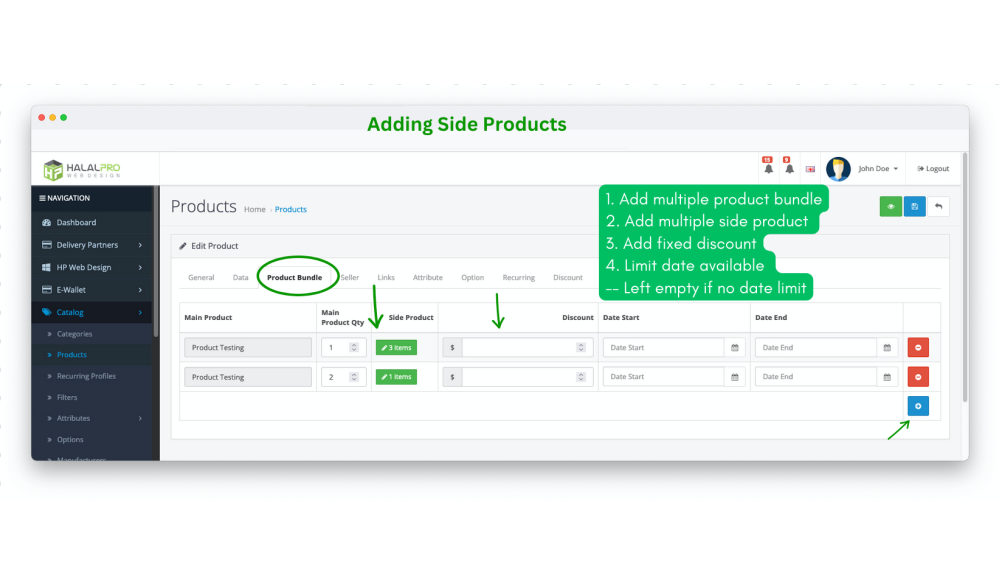
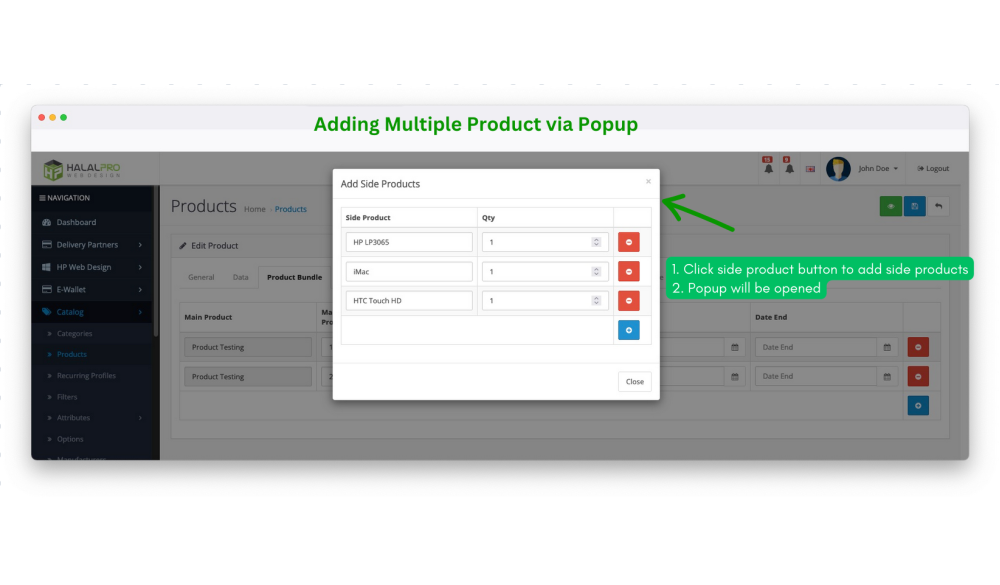
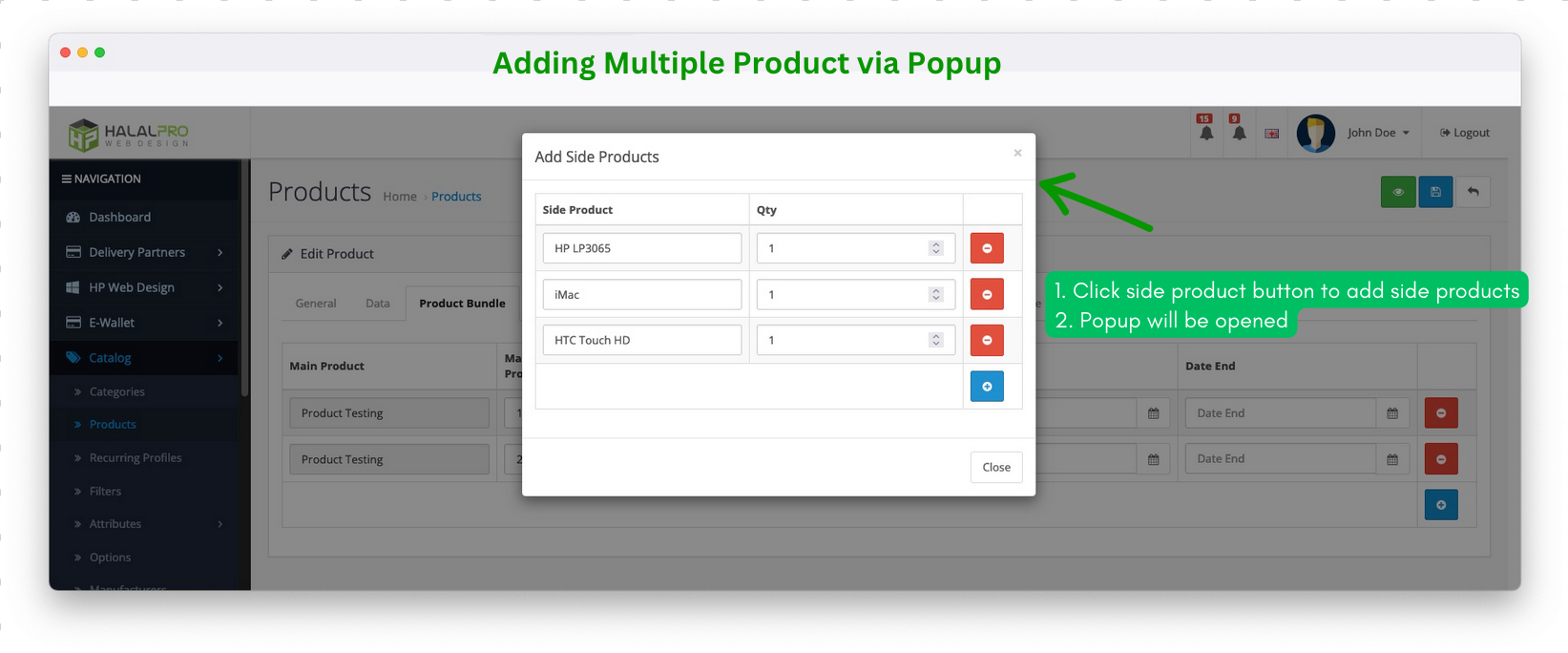
A dedicated Product Bundle tab is added to every product edit page in your admin. Select the current product as the main item, then add one or more secondary products to bundle with it. For each pairing, you define the quantity and the discount amount the customer receives.
- Dedicated "Product Bundle" tab inside every product form
- Set quantity and discount individually for each secondary product
- Schedule bundles with start and end dates — or leave blank for an ongoing offer
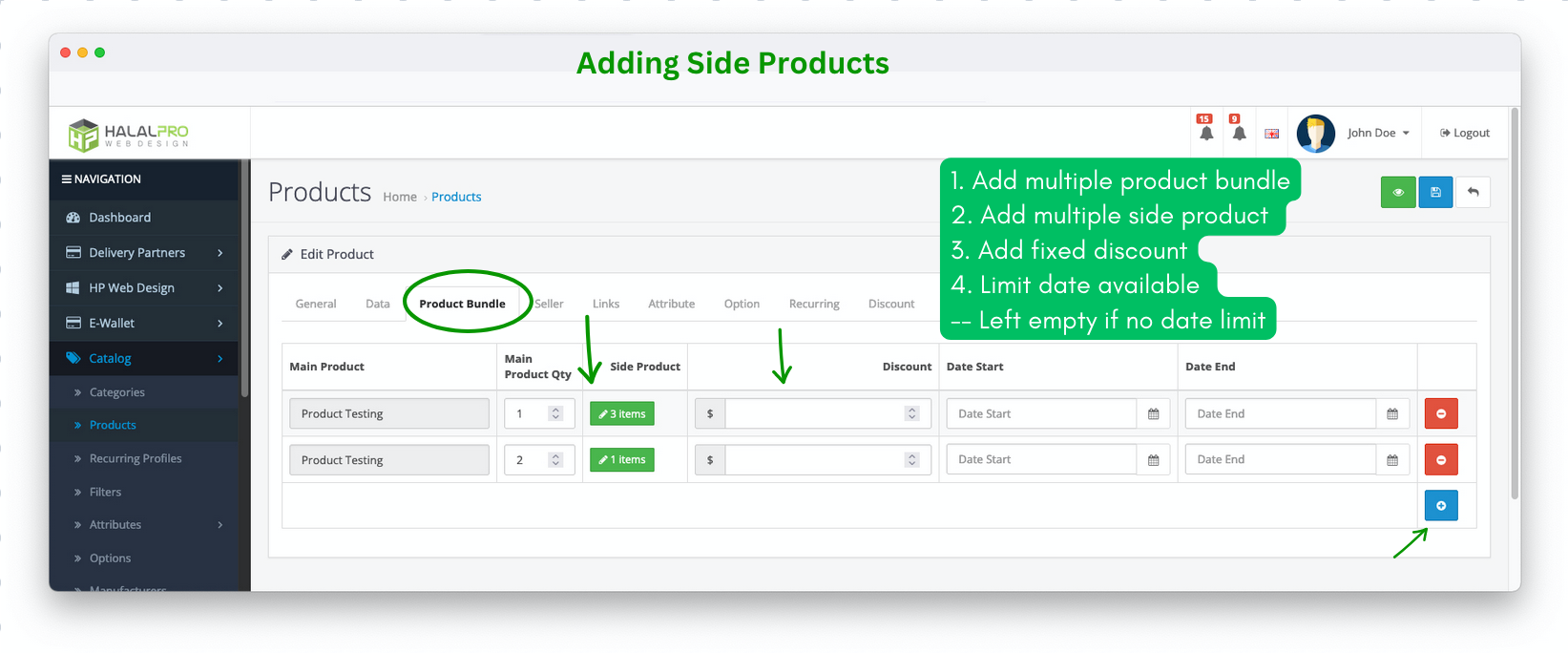
Need to bundle multiple secondary products? No problem — add as many side products as your promotion requires, each with its own quantity and discount configuration.
3. Bundle Indicator on Product List
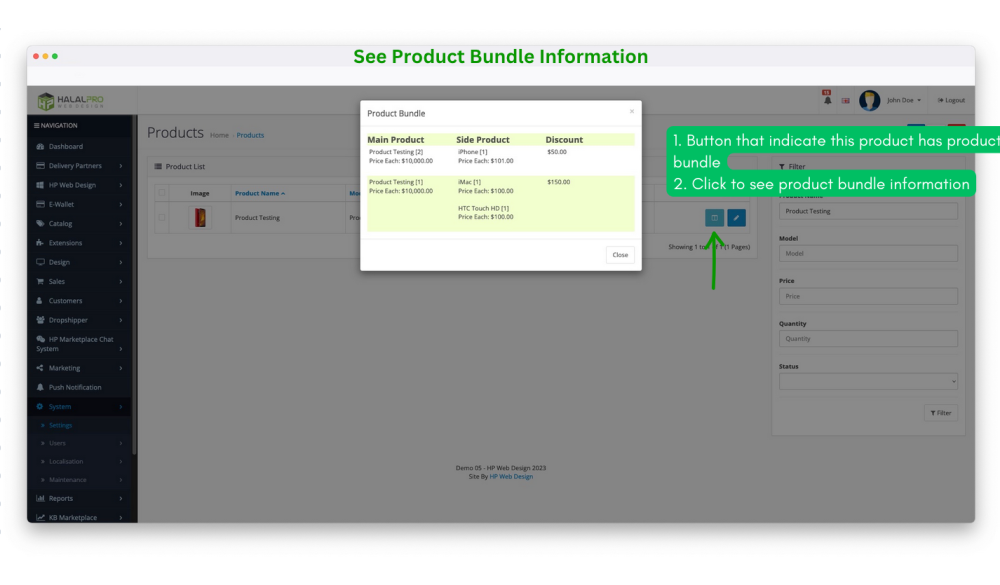
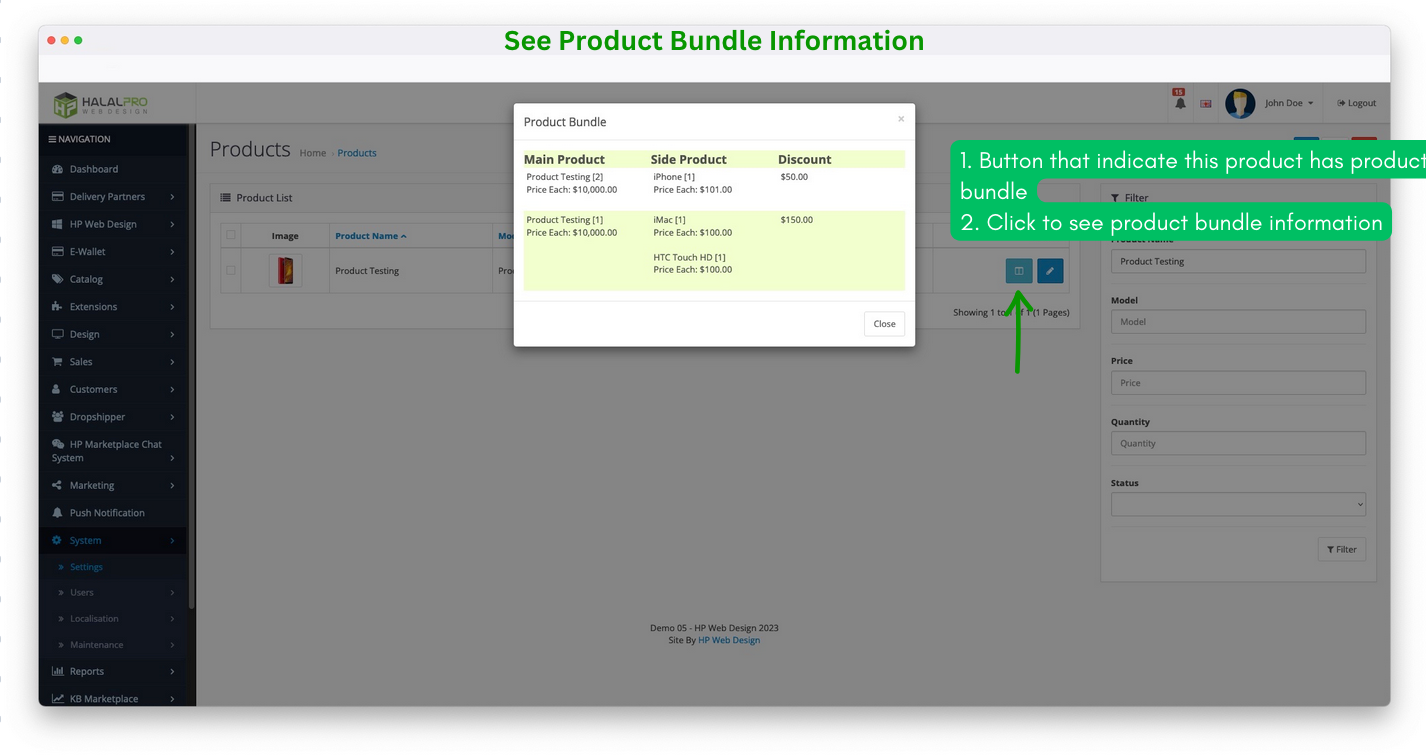
Managing a large catalog? The extension adds a bundle status button to every row in your product list. At a glance, you can see which products already have bundles configured — and click through to review the bundle details without opening the full product edit form.
- Visual bundle indicator on every product row in admin
- Click to preview bundle details inline — no extra page loads
4. Multi-Language Bundle Translation
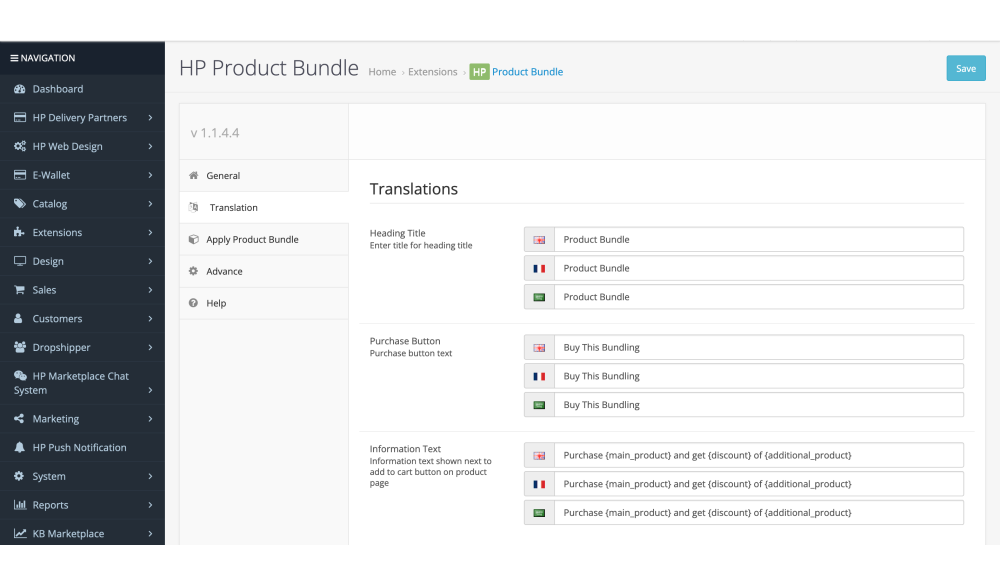
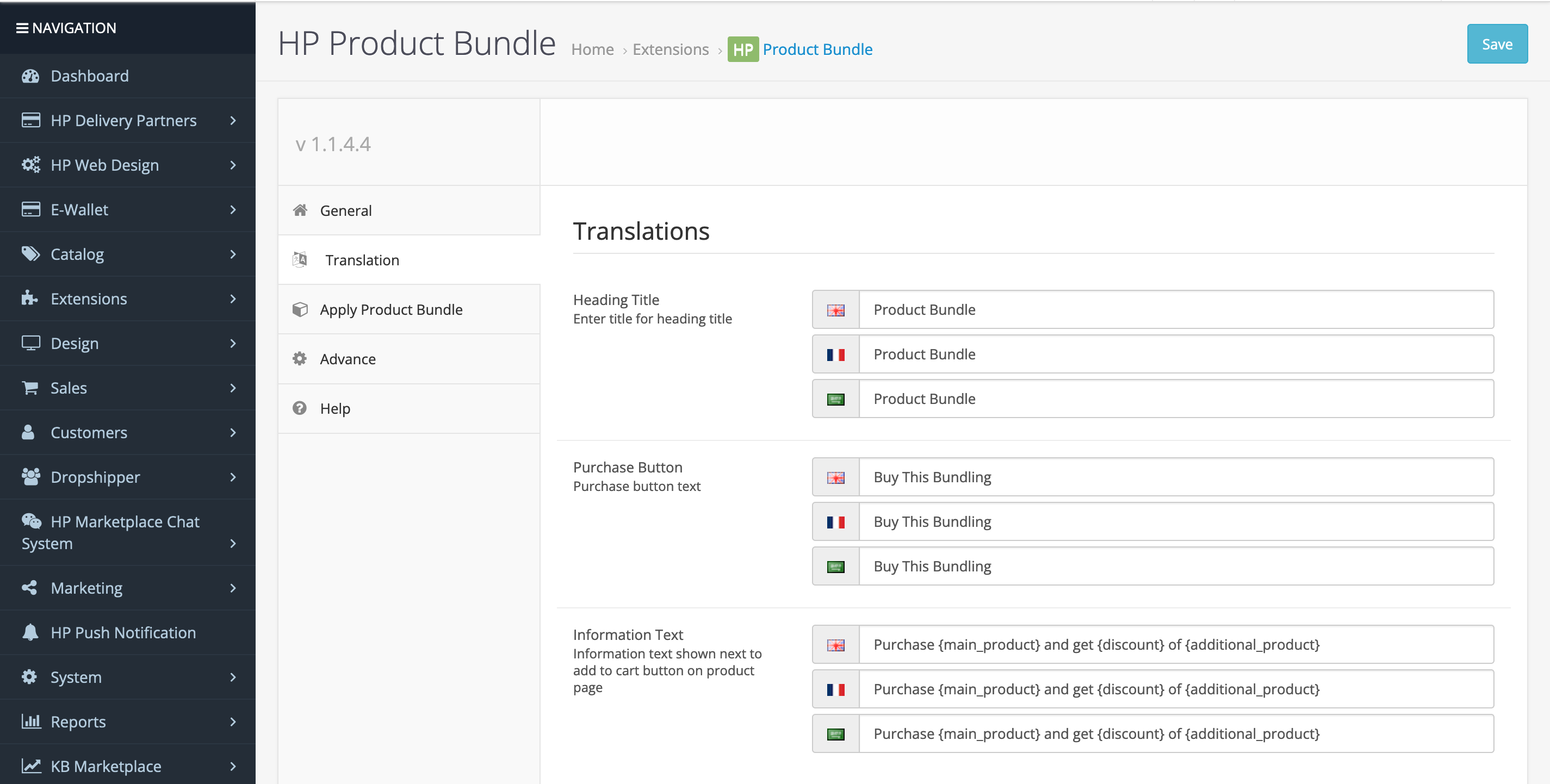
Running a multilingual store? All customer-facing bundle text — labels, discount descriptions, and call-to-action copy — can be translated directly from the admin panel. No language file editing required.
- Translate all frontend bundle text from the admin panel
- Supports unlimited languages
- No PHP or language file modification needed
5. How It Looks on the Product Page
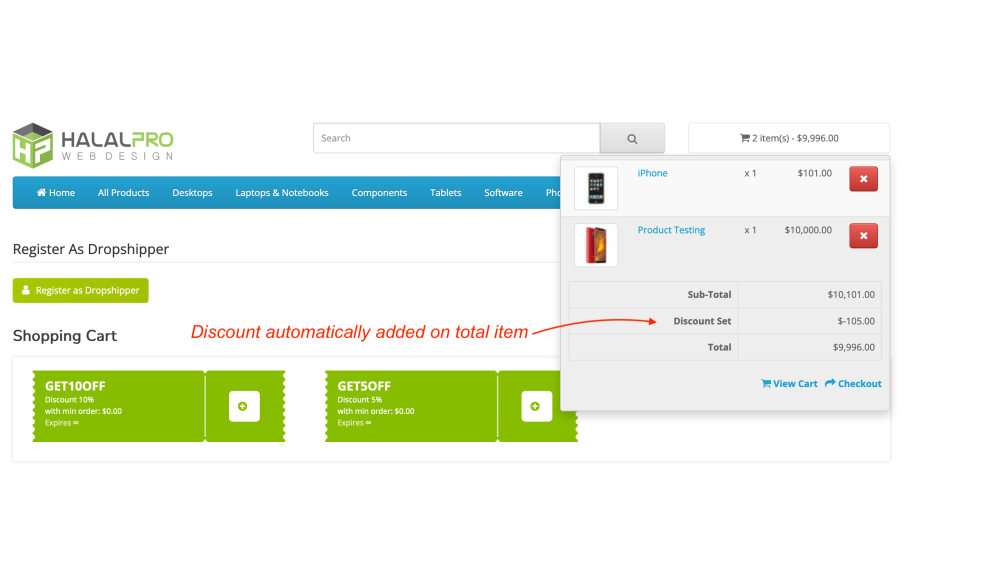
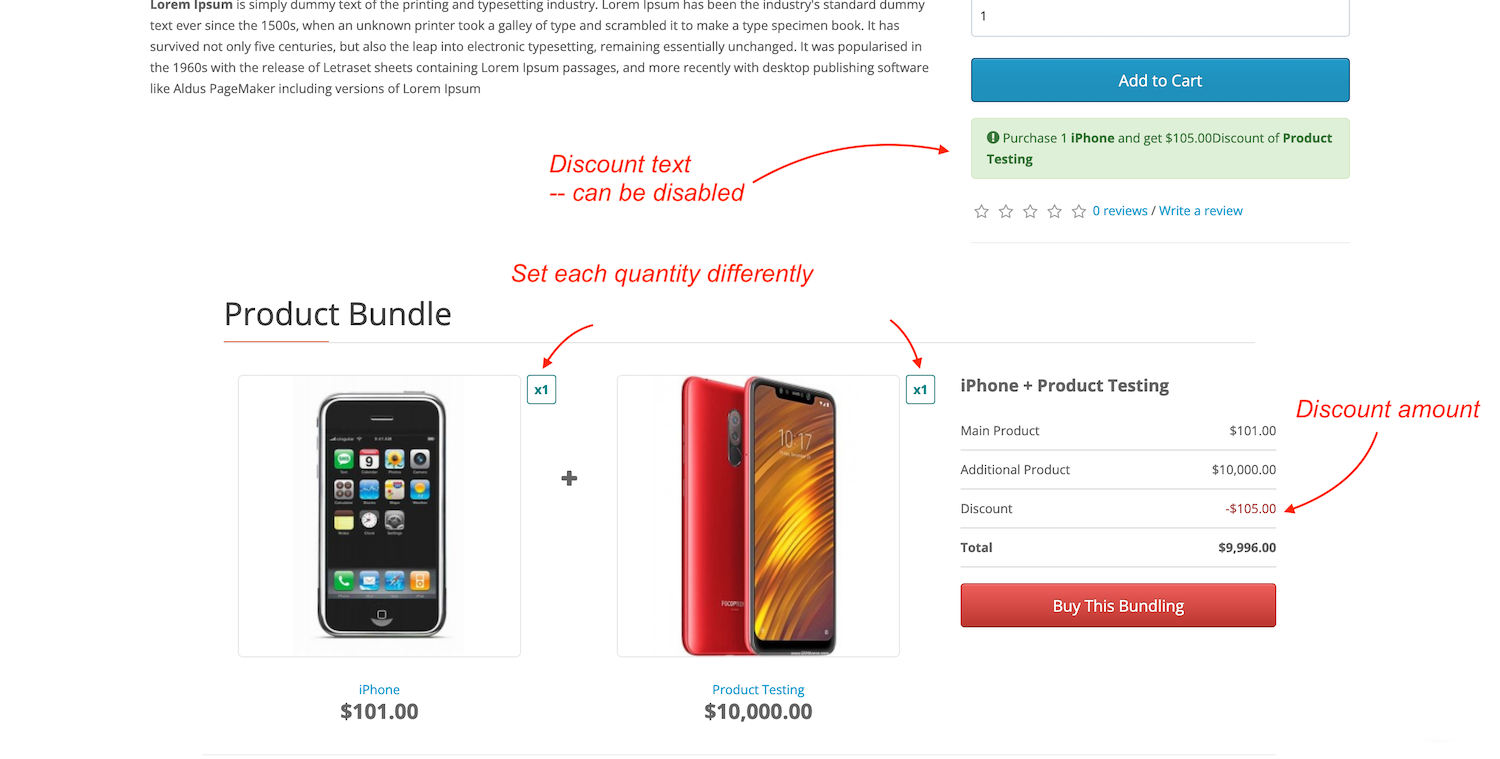
Bundle offers appear directly on the product page — with product images, names, and discount information clearly visible to the customer at the exact moment they're making a purchase decision. No popups, no redirects — just a clean, conversion-friendly display embedded in your existing product layout.
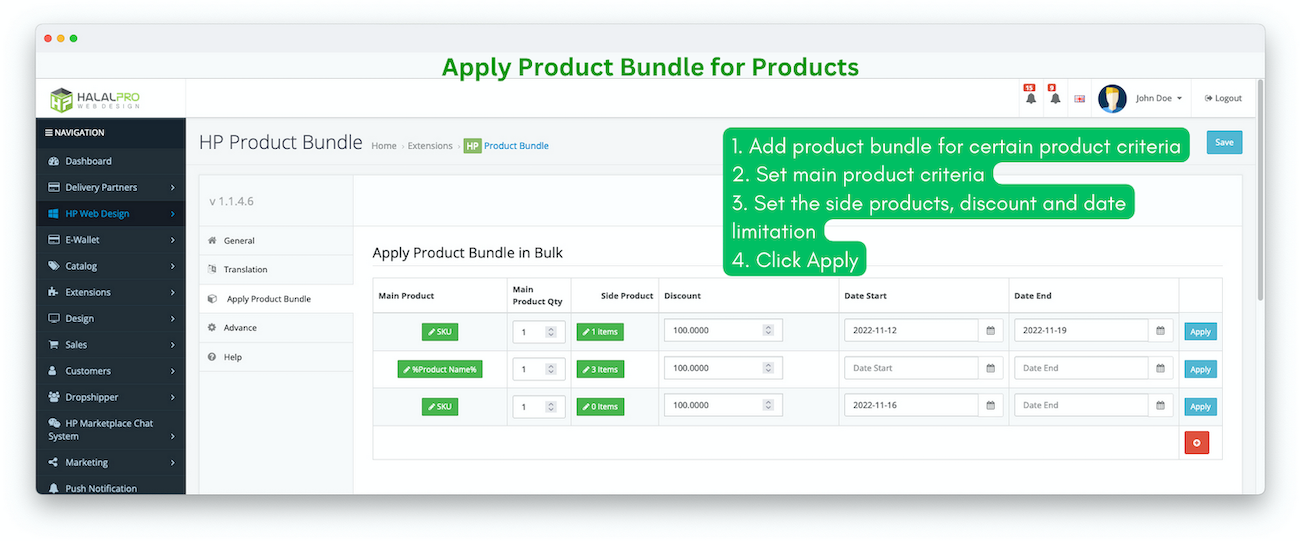
6. Apply Product Bundles in Bulk
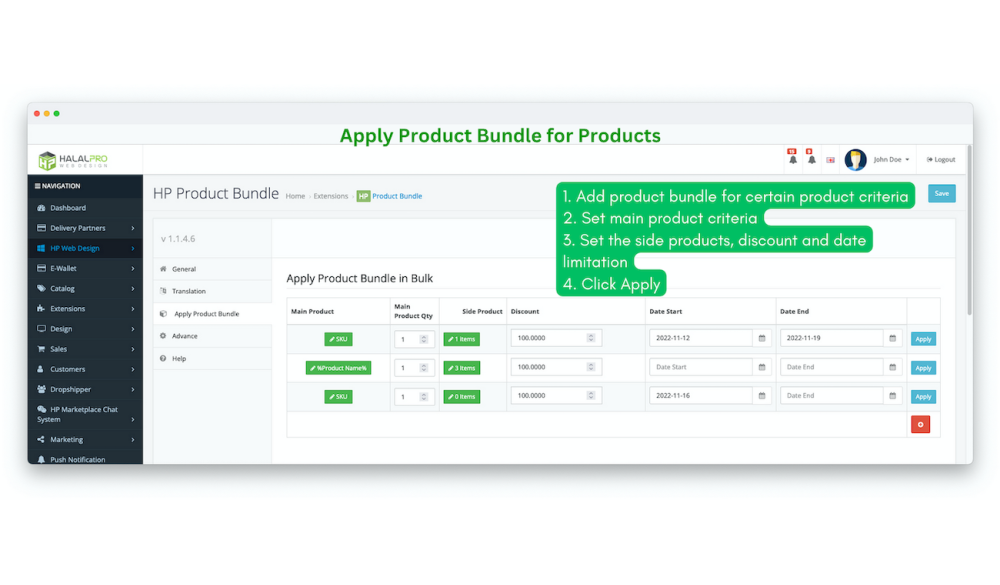
Have a large catalog and want to apply the same bundle across dozens — or hundreds — of products at once? The bulk bundle tool lets you filter by SKU pattern or product name, then apply a bundle configuration to all matching products in a single action. What would normally take hours is done in minutes.
- Filter products by SKU or name to define your target set
- Apply bundle configuration to all matching products at once
- Ideal for category-wide promotions or seasonal campaigns
Technical Details
- Compatible with: OpenCart 3.x
- Installation method: OCMOD — no core file modifications
- Theme compatibility: 100% — widget placement via CSS class targeting
- Multi-language: Yes — all frontend text translatable from admin
- Multi-store: Supported
See It in Action — Try the Live Demo
The best way to understand what this extension can do is to try it yourself. Both frontend and backend demos are available — no sign-up required.
| Specification | |
| License | Single Domain License |
| Compatibility | 3.0.5.1, 3.0.5.0, 3.0.4.1, 3.0.4.0, 3.0.3.9, 3.0.3.8, 3.0.3.7, 3.0.3.6, 3.0.3.3, 3.0.3.2, 3.0.3.1, 3.0.3.0, 3.0.2.0, 3.0.1.3, 3.0.1.2, 3.0.1.1, 3.0.0.0 |
| Documentation | |
| Multi-lingual Support | YES |
| Override Core Files | NO |