
Bariklabs Bank Installment Simulation OpenCart
- $50.00
$29.00
Shoppers in installment-heavy markets abandon carts when they can't quickly answer one question: "Can I afford this monthly?" The Bank Installment Simulation for OpenCart answers that question right on the product page — automatically, for every item, across every bank you support — so buyers make decisions with confidence instead of switching tabs to calculate.
Who This Is For
This extension is built for OpenCart store owners who sell to customers in markets where bank installment plans are a primary purchase driver. It's especially valuable for:
- Electronics and gadget stores where ticket prices push customers toward installment options
- Furniture and home appliance retailers offering multi-tenor payment plans
- Fashion and lifestyle brands partnered with multiple banks for 0% installment promotions
- Any store in Indonesia, Southeast Asia, or the Middle East where BNPL and bank installments are table stakes for checkout conversion
Turn Installment Anxiety into Purchase Confidence
When a customer sees a $ 8,000 price tag without installment context, many will leave — not because they can't afford it, but because the mental math feels like too much work. By surfacing a clear, bank-by-bank monthly breakdown directly on the product page, you remove the friction that kills high-AOV conversions.
- Reduce cart abandonment on high-ticket items by answering the "can I afford this?" question before checkout
- Increase average order value by making expensive items feel financially accessible
- Build trust through transparent, upfront pricing — not surprises at checkout
- Let customers self-select their preferred bank and tenor without leaving your store
How It Works — 4 Simple Steps
Getting the installment simulation live on your store requires no coding. Here's the full flow:
- Install and activate the extension from your OpenCart admin panel.
- Add your banks — enter each bank's name, logo, interest rate, and available tenors (3, 6, 12, 24 months, etc.).
- Set the display position — use the jQuery selector field to place the simulation widget exactly where you want it on the product page, no template edits required.
- Go live — the system automatically calculates and displays the correct monthly installment amount for every product based on its price.
Installment Simulation on Every Product Page — Calculated Automatically
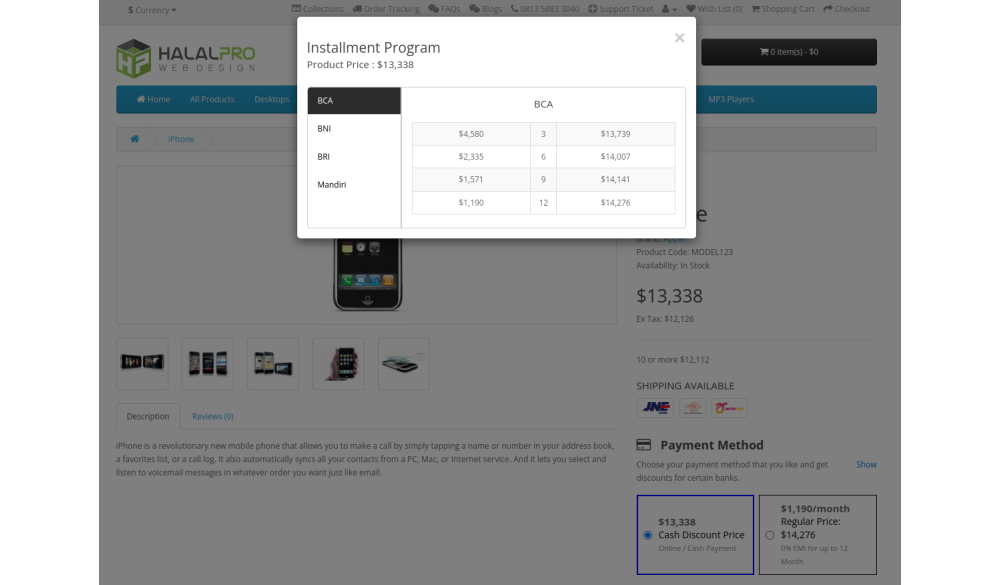
The core feature is a simulation widget that appears on all product pages. It pulls the current product price, applies your configured bank schemes and interest rates, and renders a per-bank, per-tenor breakdown in real time. Customers can immediately see what they'd pay monthly — for each bank they have a card with — without leaving the page.
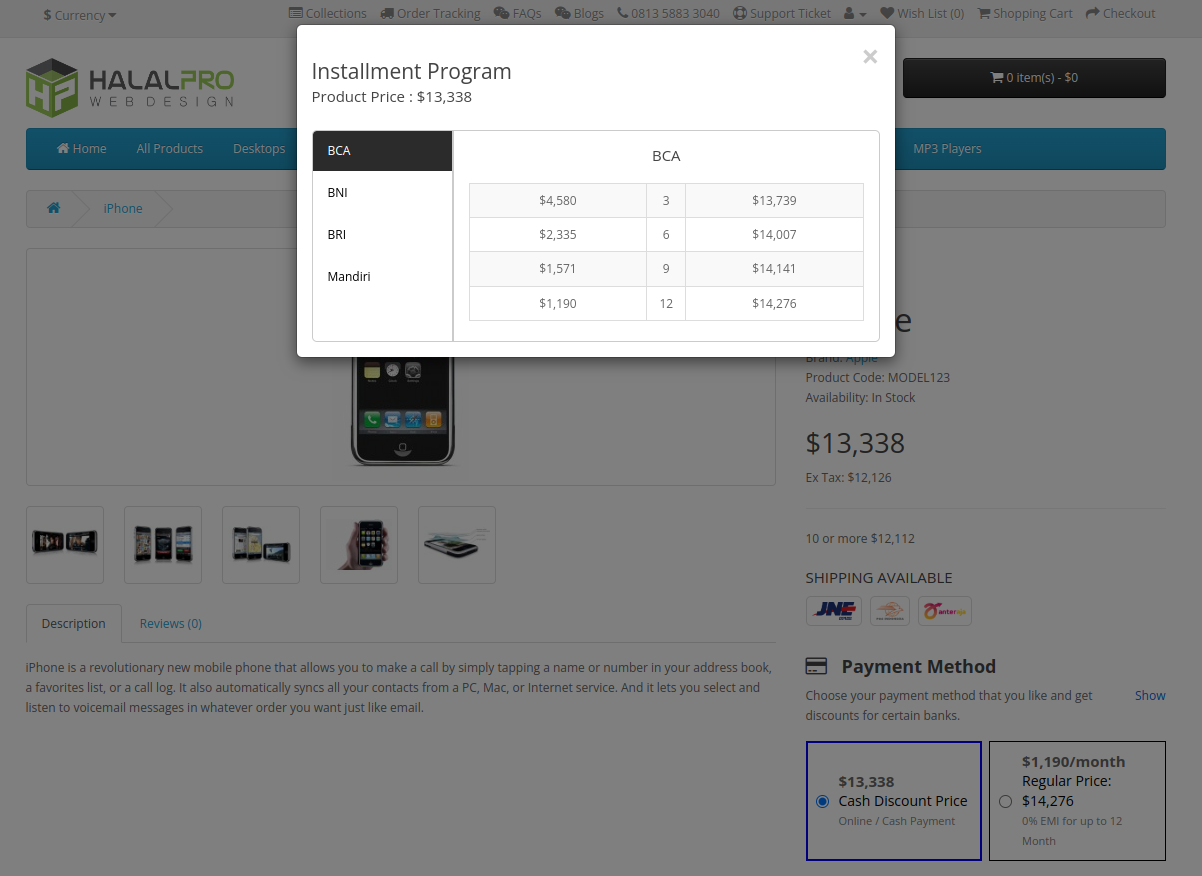
- Simulation is shown on all product pages — no manual per-product setup
- Monthly amounts are calculated automatically from each product's price
- Display position is controlled via a jQuery/JS selector — flexible, no template edits needed
- Supports both cash and installment options side by side
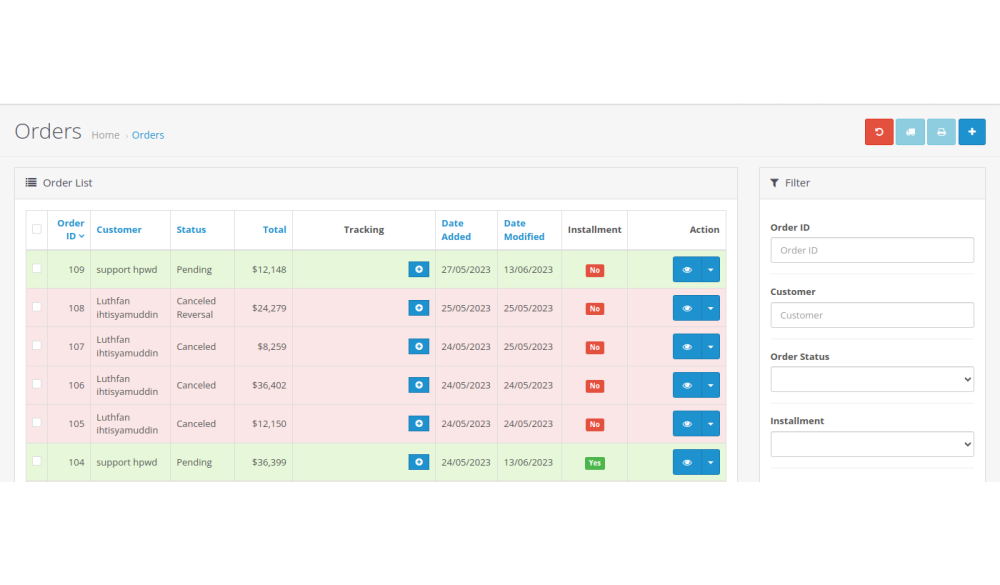
Installment Status Tracking in the Admin Order List
Beyond the storefront, the extension adds an installment status column directly to your admin order list. At a glance, you can see which orders were placed using an installment plan — and filter the list by installment status to segment, report, or follow up efficiently.
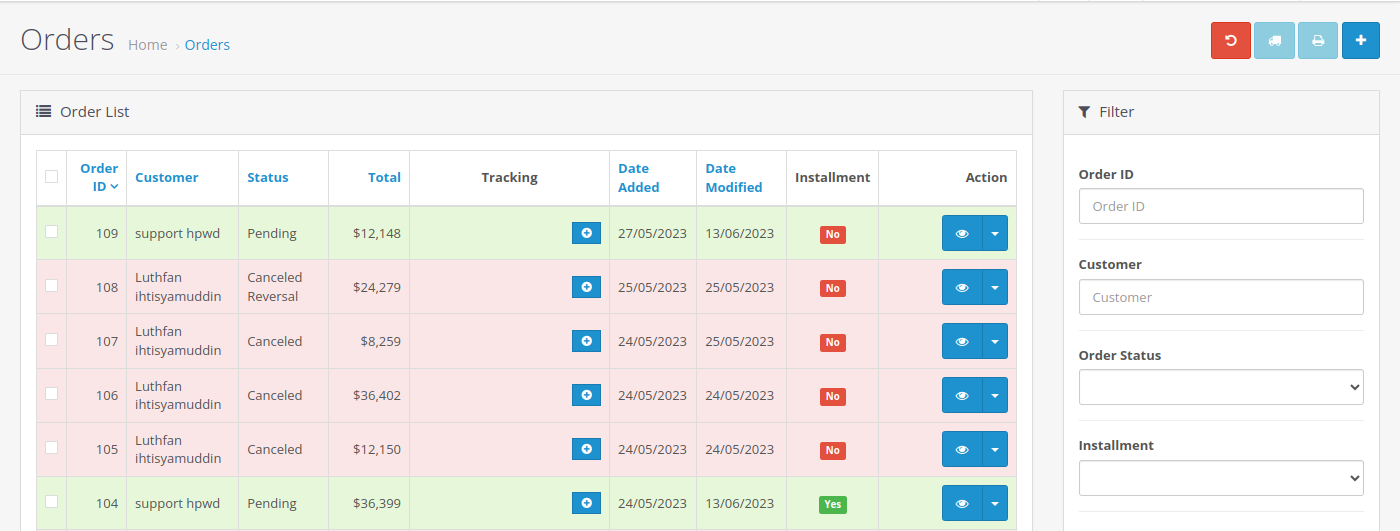
- Installment status column added to admin order list
- Filter orders by installment status (Yes / No)
- No separate report screen needed — integrated directly into native order management
Main Settings — Enable, Disable, and Position the Widget
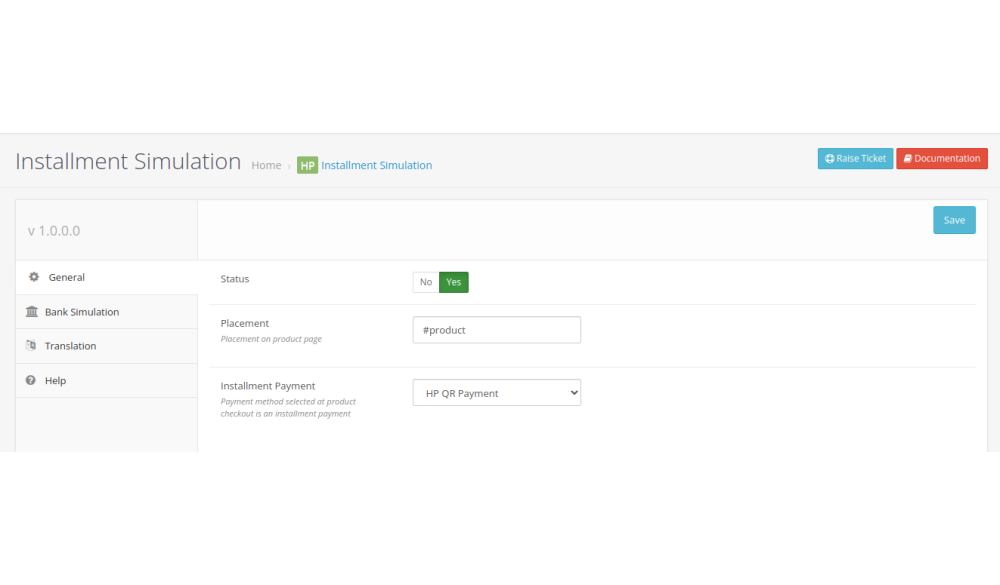
The main settings screen gives you full control over the module's global behavior. Toggle the entire feature on or off with a single switch, and use the dynamic placement field to position the simulation widget anywhere on the product page without touching template files.
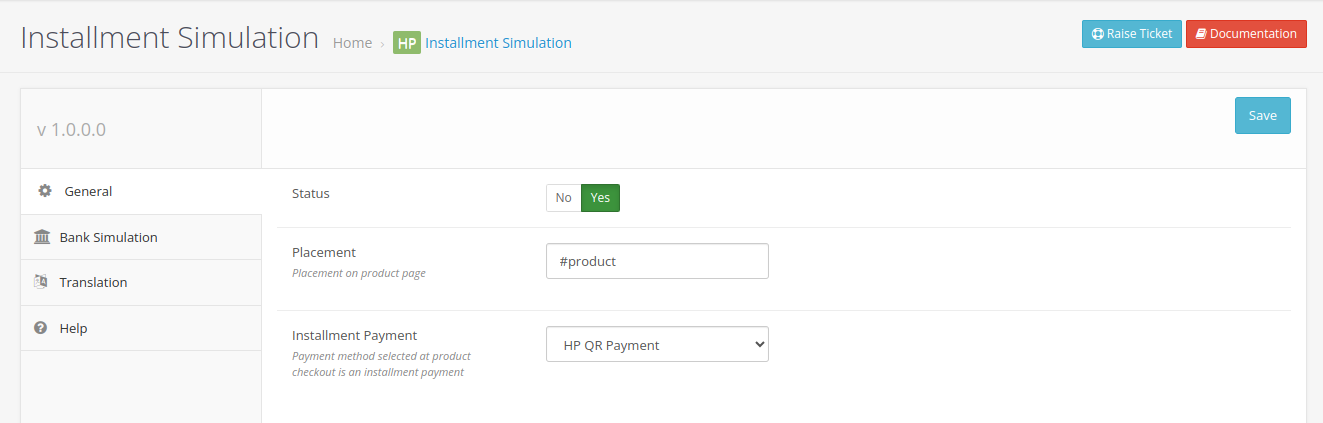
- Master enable/disable toggle for all installment simulation features
- Dynamic placement: enter a jQuery selector to control where the widget renders on the product page
Bank and Scheme Management — Add as Many Banks as You Need
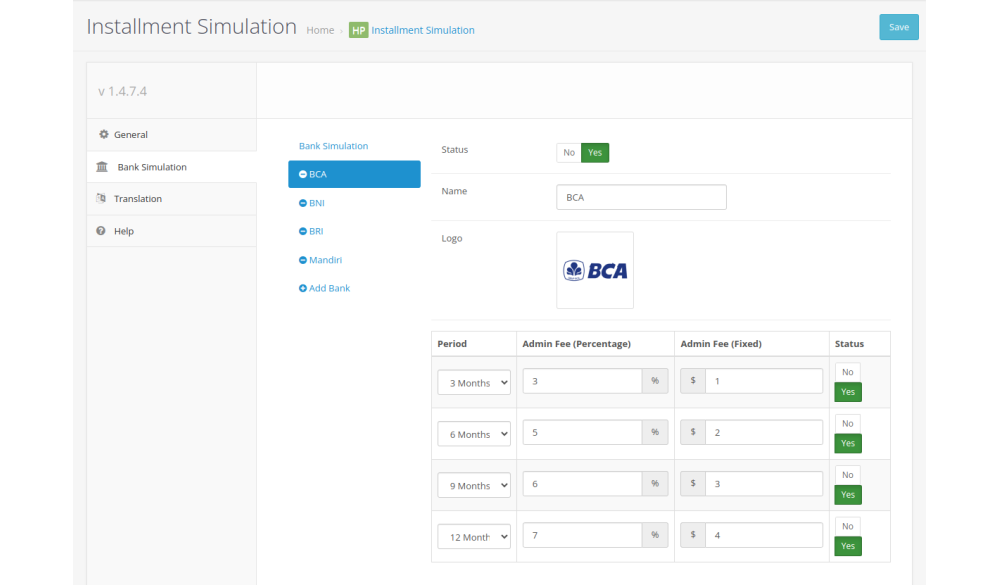
Each bank you support gets its own simulation entry. Add the bank name, configure its installment schemes (interest rates, available tenors), and set its active status. You can add an unlimited number of banks and toggle individual banks on or off without deleting their configuration — useful during promotional periods when certain banks are temporarily featured.
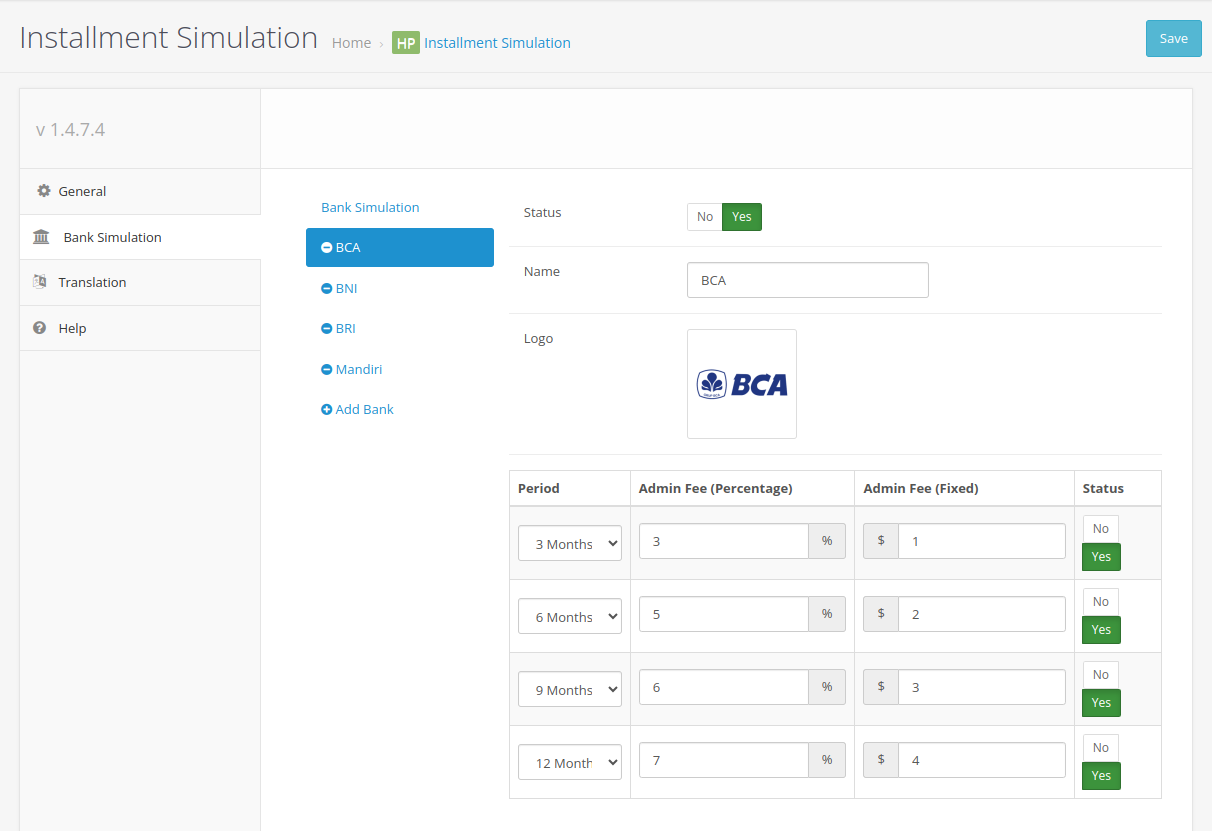
- Add unlimited banks with custom installment schemes
- Show or hide individual banks by toggling their status — no deletion required
- Each bank supports multiple tenors and independent interest rate configuration
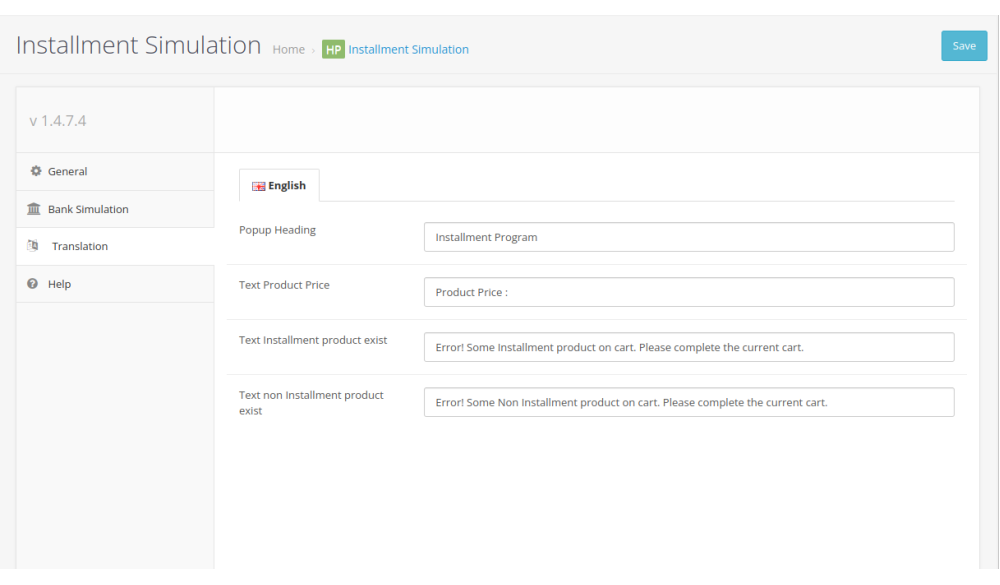
Multi-Language Text Customization — Localize for Any Market
All customer-facing text in the simulation widget is editable through the translation settings panel. If you run a multi-language store, you can configure the displayed labels and messages per language to ensure the installment information reads naturally for each market. Need help with a specific language? Contact the Bariklabs support team.
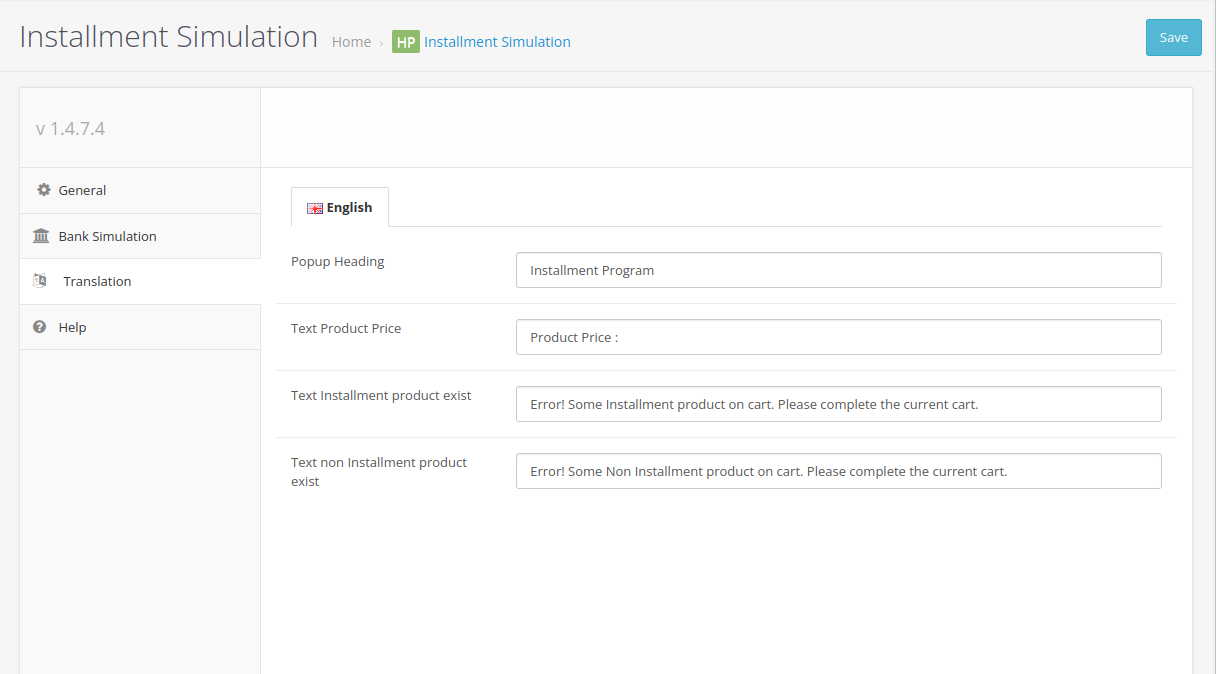
- Full control over all customer-facing labels and messages in the simulation widget
- Per-language configuration for multi-language OpenCart stores
- Translation assistance available from the Bariklabs support team on request
Technical Specifications
- Platform: OpenCart 3.x
- Installation: Standard ocmod — install via Admin → Extensions → Installer
- Template editing required: None — widget placement via jQuery selector
- Multi-store compatible: Yes
- Multi-language compatible: Yes
- Support: bariklabs.com/support
See It in Action
The best way to evaluate this extension is to watch it work on a live store. Try the demo to see the installment simulation widget, the admin order list integration, and the bank management panel — all fully functional.
| Specification | |
| License | Single Domain License |
| Compatibility | 3.0.3.8, 3.0.3.7, 3.0.3.6, 3.0.3.3, 3.0.3.2, 3.0.3.1, 3.0.3.0, 3.0.2.0, 3.0.1.3, 3.0.1.2, 3.0.1.1, 3.0.0.0 |
| Documentation | |
| Multi-lingual Support | YES |
| Override Core Files | NO |